Make a Resume Intro Video With Claude
Turn your resume, portfolio or product into a 30-second intro video with the free Above Yellow Intro Video Maker and your own Claude, step by step.
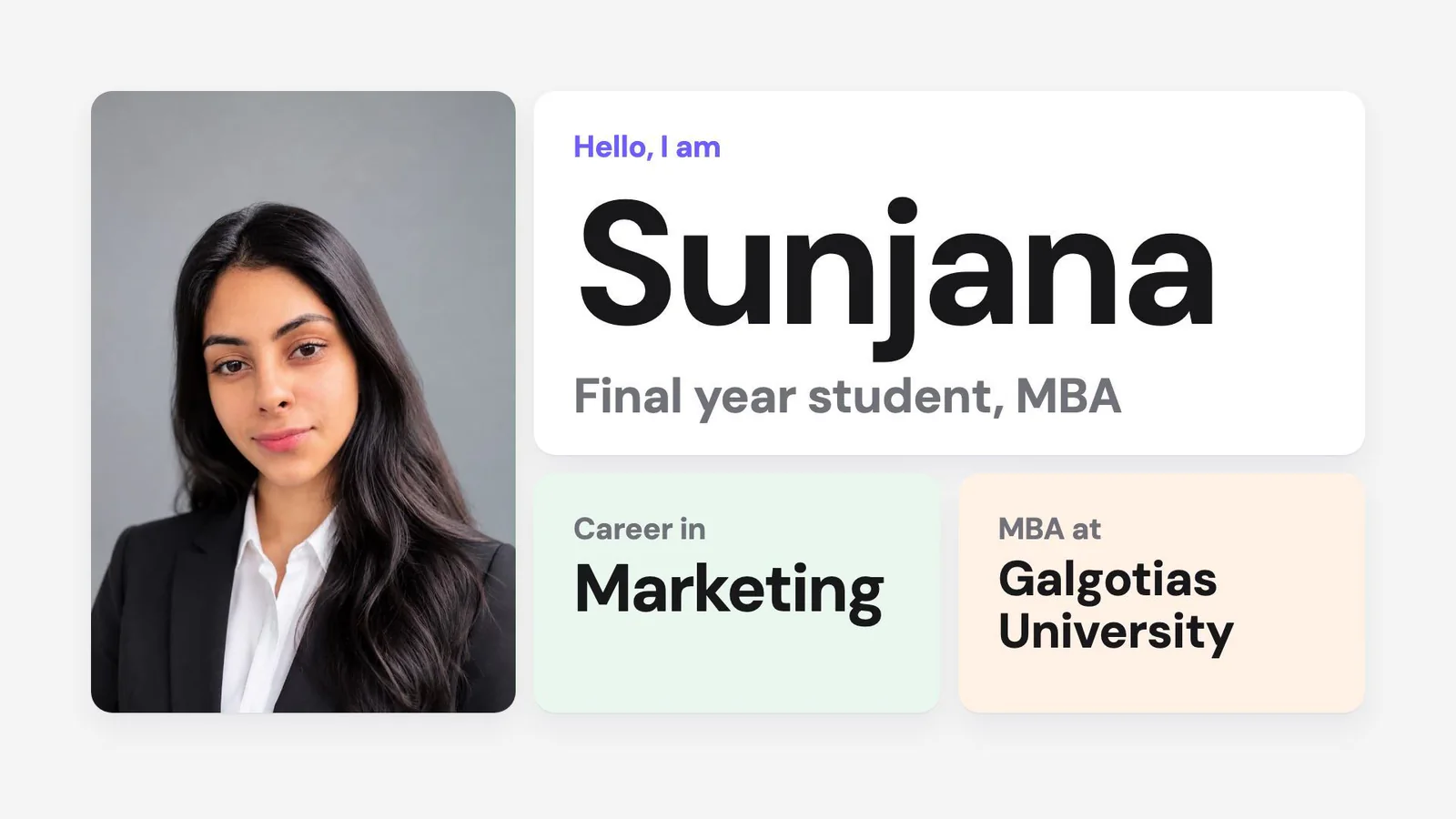
Try the app: Open the Intro Video Maker → It is free, and you do not need to sign in to fill the form.
You can make a 30-second intro video from your resume in four steps: fill a form on Above Yellow's free Intro Video Maker, pick one of 10 styles, download one HTML file, and send that file with a ready-made prompt to Claude Code or claude.ai. Claude renders a 1920×1080 MP4 with music. The same tool makes a product demo video. This guide shows every step with screenshots, using a real resume.
A resume lists what you did. A short video lets a recruiter see your best number, your face and your ask in half a minute. You do not need video editing software, a camera or a voiceover. The text on screen tells the whole story.
What Is the Intro Video Maker?
The Intro Video Maker is a free tool at aboveyellow.com/apps/intro-video that turns your details into two things: one HTML file and one prompt. The HTML file holds your facts and photos, and it also works as a small website about you. The prompt tells Claude how to turn that file into a 30-second video.
The tool itself never calls an AI model. Your own Claude plan renders the video, so the tool is free to use. Your photos stay in your browser until you download the file.
| What you get | |
|---|---|
| Length | 30 seconds, 30 frames per second |
| Shape | Landscape 16:9 (1920×1080) or portrait 9:16 (1080×1920) |
| Sound | Music composed in code, no voiceover |
| Styles | 10, each with its own prompt |
| Video types | You (resume or portfolio) or your product |
| Cost | Free on Above Yellow. The video uses your Claude plan. |
The Four Steps at a Glance
Type
Choose "You" for a resume or portfolio video, or "Your product" for a demo video. Then choose landscape or portrait.
Style
Pick one of 10 looks. The preview on the right plays each one.
Details
Type your name, headline and the action you want from viewers. Add numbers, roles, projects and photos if you have them.
Export
Download the file, copy the prompt, send both to Claude and get your MP4.
How to Make a Resume Intro Video
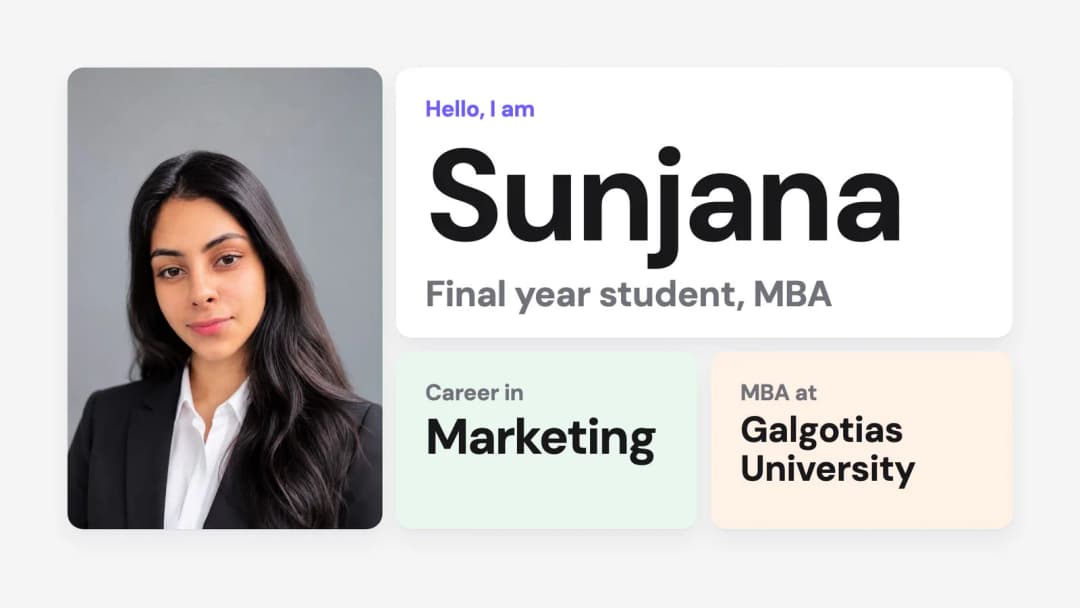
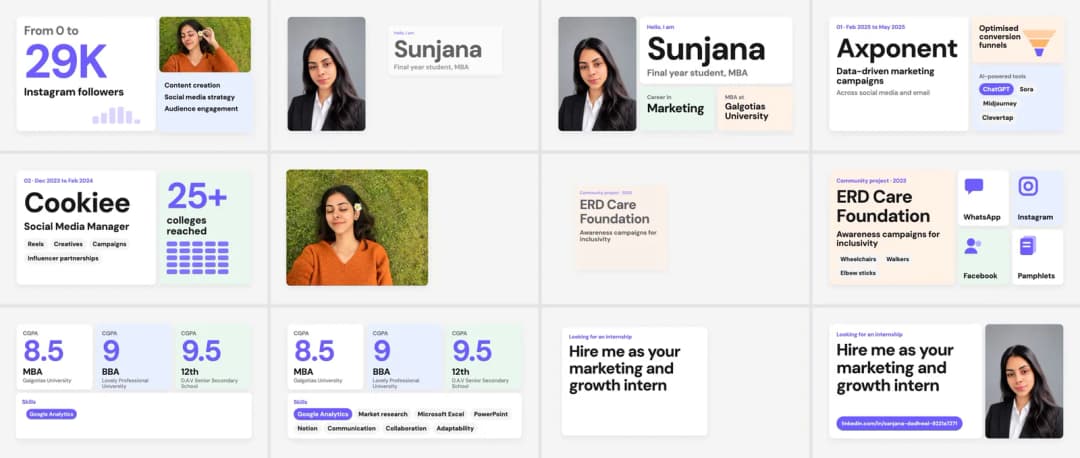
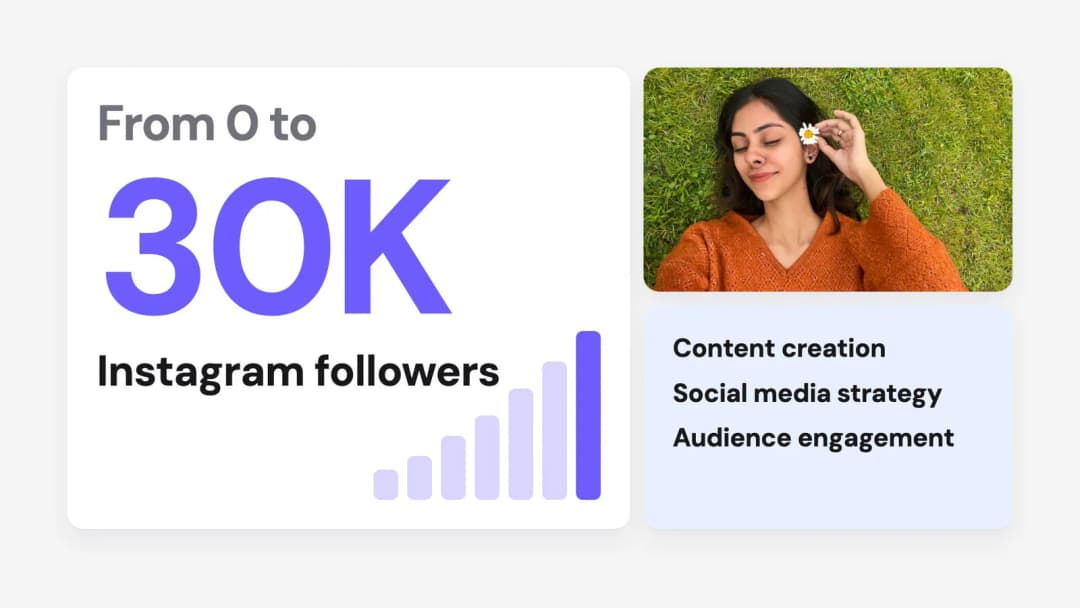
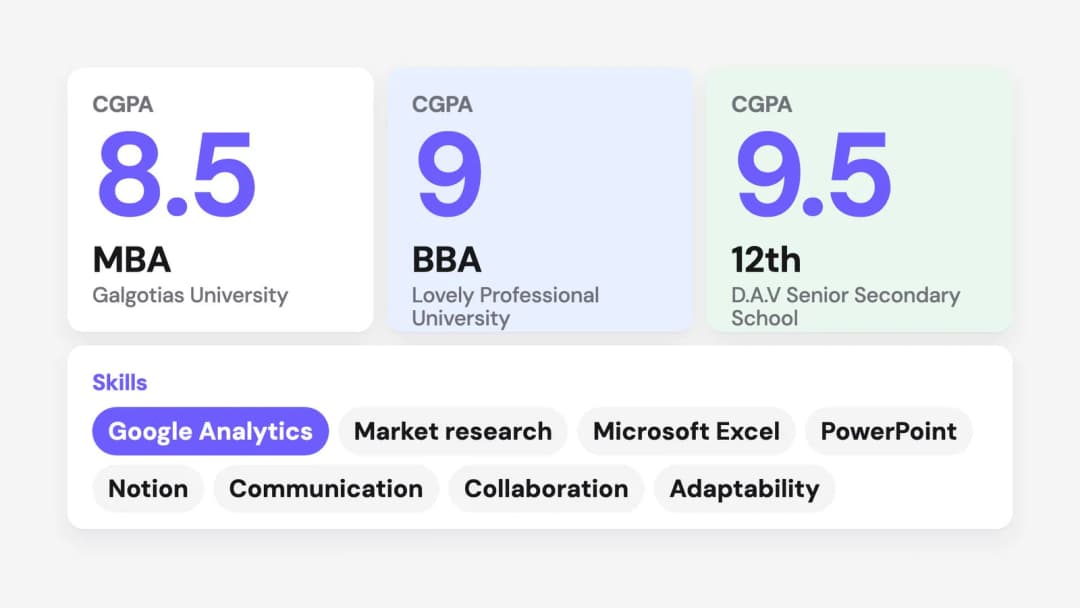
The example below uses the resume of Sunjana, a final year MBA student: three internships, a community project and Instagram pages grown from 0 to 30K followers. A student resume works as well as an experienced one. Keep your own resume open in another tab, because you will copy facts from it.
Step 1: Choose "You" and a shape
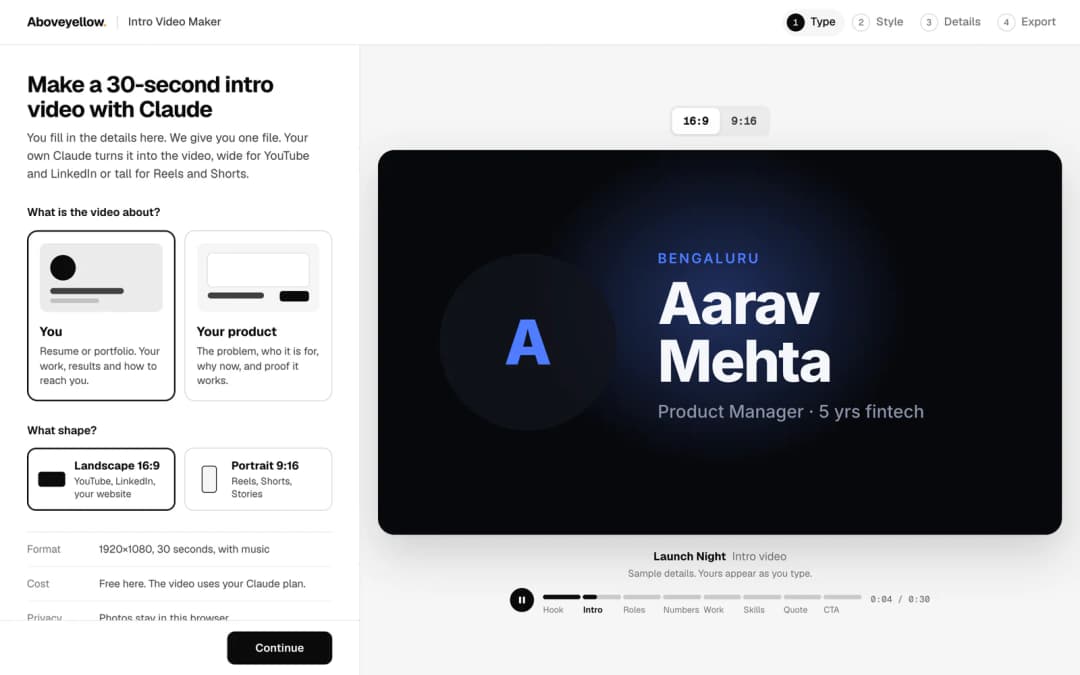
Open the Intro Video Maker and select You. This is the resume and portfolio option: your work, your results and how to reach you.
Then pick the shape. Landscape 16:9 suits LinkedIn, YouTube and your portfolio website. Portrait 9:16 suits Instagram Reels, YouTube Shorts and Stories. You can make both later from the same details.
Step 2: Pick a style
Each style changes the fonts, colours, motion and music of the video. Click a style and the large preview plays it. The example in this guide uses Bento: a light grey background, rounded tiles in white and soft pastels, and one violet accent. Every photo, number and project gets its own tile.
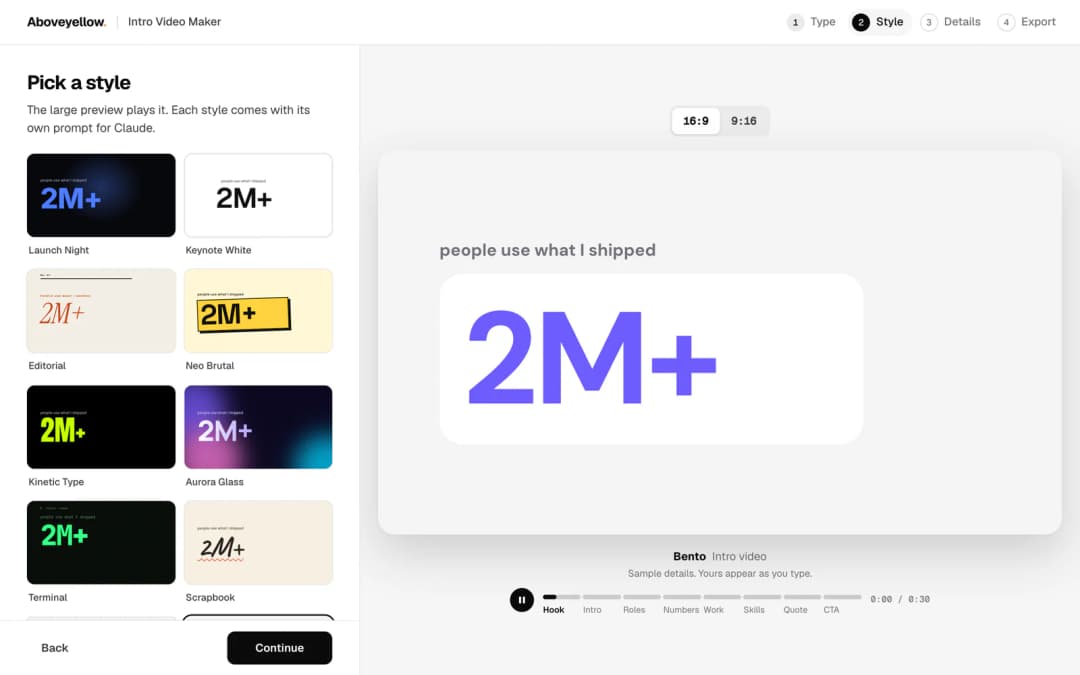
Use this table to choose. The "best for" column comes from the tool itself.
| Style | Best for |
|---|---|
| Launch Night | Founders, engineers, SaaS |
| Keynote White | Product managers, designers, consultants |
| Editorial | Writers, marketers, strategists |
| Neo Brutal | Creators, students, indie makers |
| Kinetic Type | Anyone with a strong one-liner |
| Aurora Glass | AI products, designers, creators |
| Terminal | Software engineers, data people |
| Scrapbook | Students, hobbyists, warm personal brands |
| Swiss Grid | Analysts, architects, consultants |
| Bento | Product launches, all-rounders |
Tip: If your resume is mostly numbers, pick a type-led style such as Kinetic Type or Swiss Grid. If you have photos, screenshots and project images, pick a tile-led style such as Bento, which gives each visual its own card.
Step 3: Fill in your details
Only the Basics section is required: your full name, a headline and what viewers should do. Anything you skip is left out of the video, so a short resume still makes a complete video.
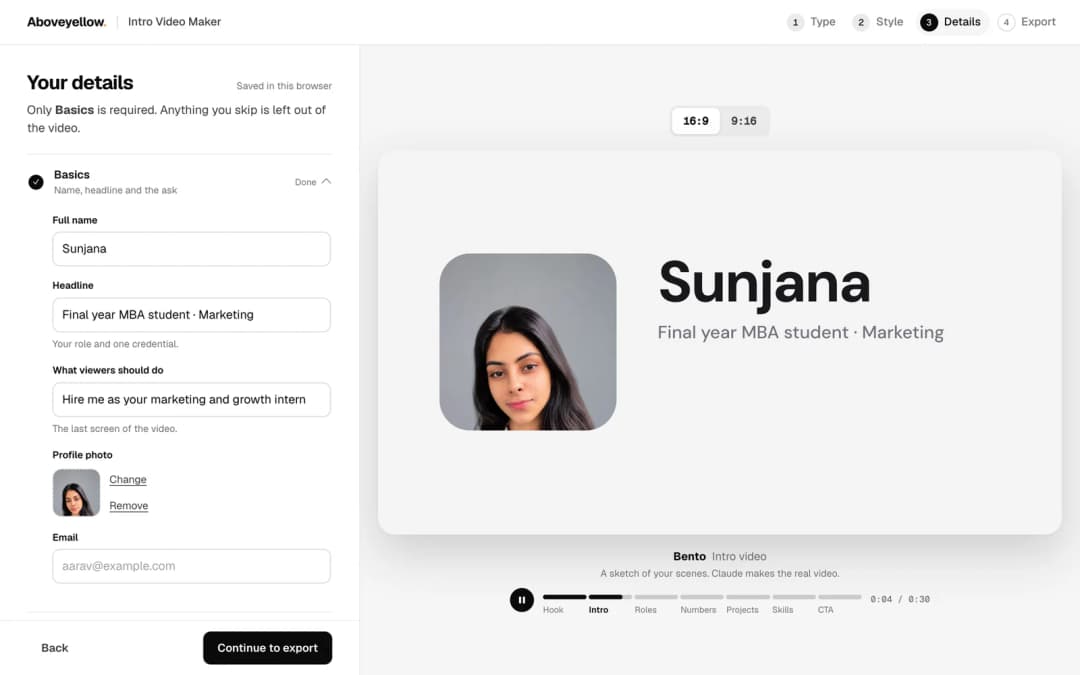
Copy these from your resume into the form:
- Headline: your role and one credential, such as "Final year MBA student · Marketing".
- Key numbers: up to 3 results you can stand behind. The strongest one opens the video.
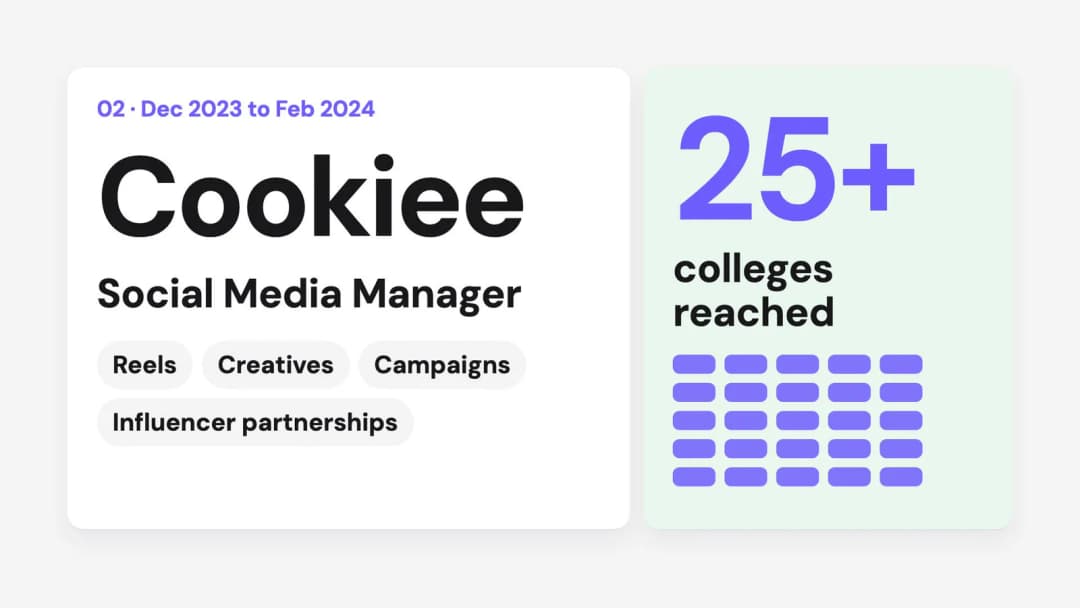
- Experience: up to 4 roles, newest first, each with its biggest win and a number.
- Projects: up to 4, each with one line and a screenshot if you have one.
- Education, achievements and skills: these become quick chips and badges.
- Testimonials or hobbies: optional. They fill the "human side" scene.
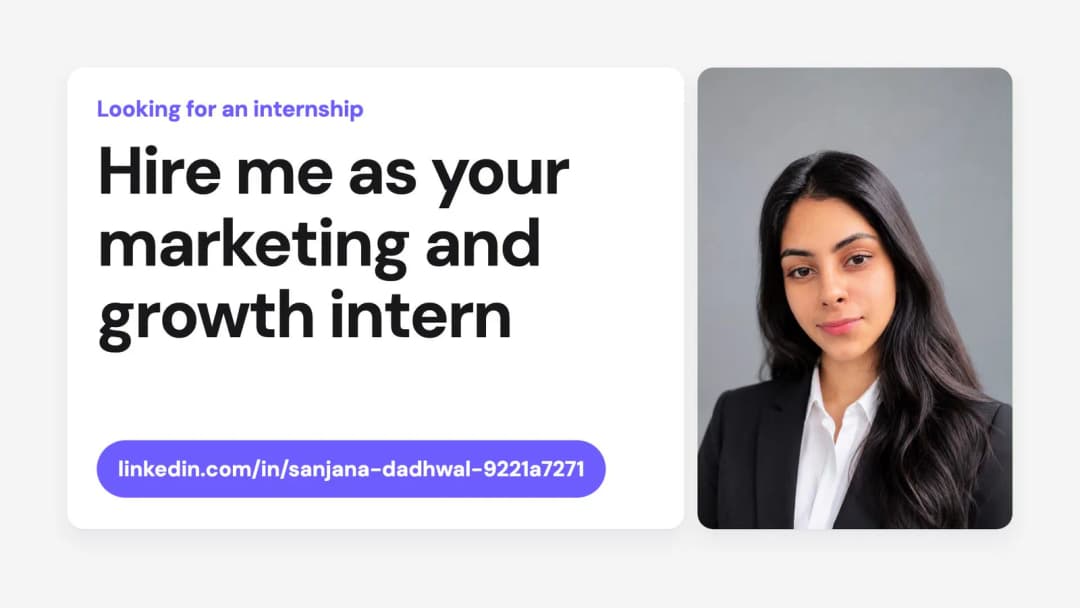
Three things most resumes are missing: a call to action, a photo and a link. A resume PDF rarely says "Hire me as your marketing and growth intern", but the last screen of a video needs that line. Add a clear face photo and your LinkedIn or portfolio link before you export.
Step 4: Download the file and copy the prompt
The Export step gives you a numbered list. Press Download file to save one HTML file. In this example it is named intro-video-sunjana.html and is 66 KB with one photo inside. Then press Copy prompt.
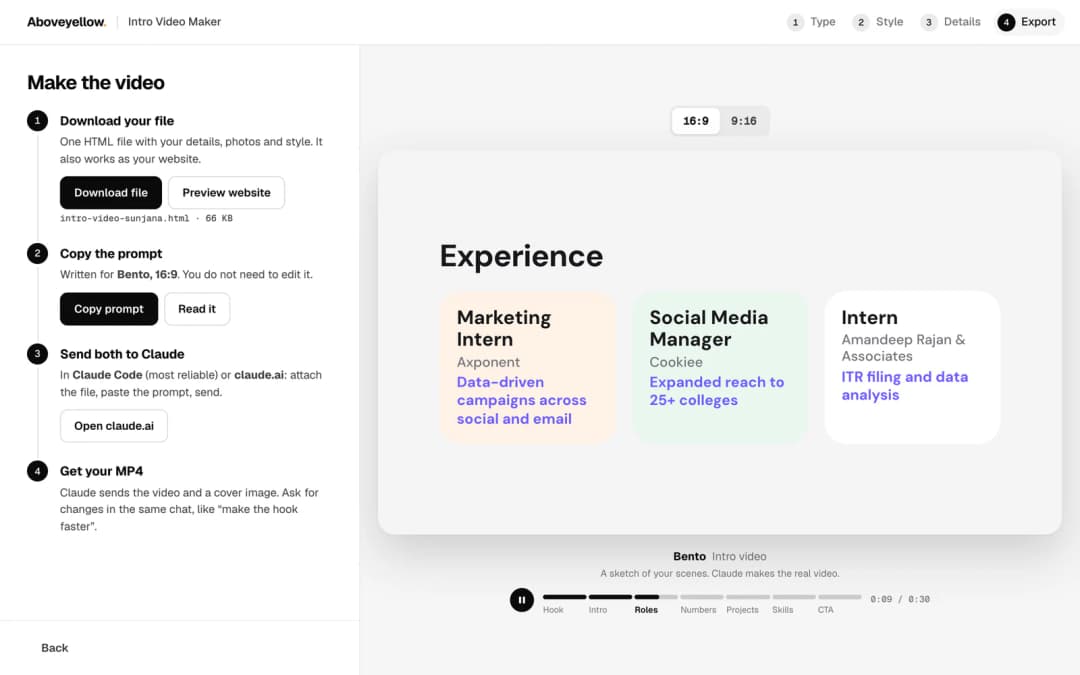
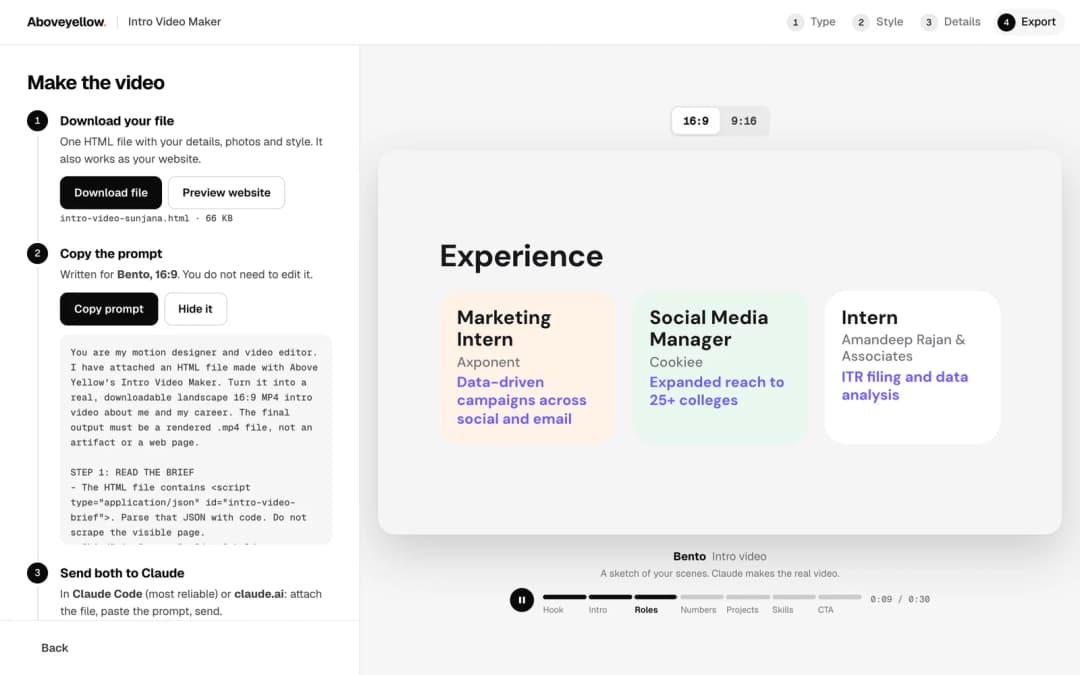
You do not need to edit the prompt. Press Read it if you want to see what it asks for. It tells Claude to read the facts from the file, follow a 30-second storyboard, use the style you picked, compose the music and render the MP4.
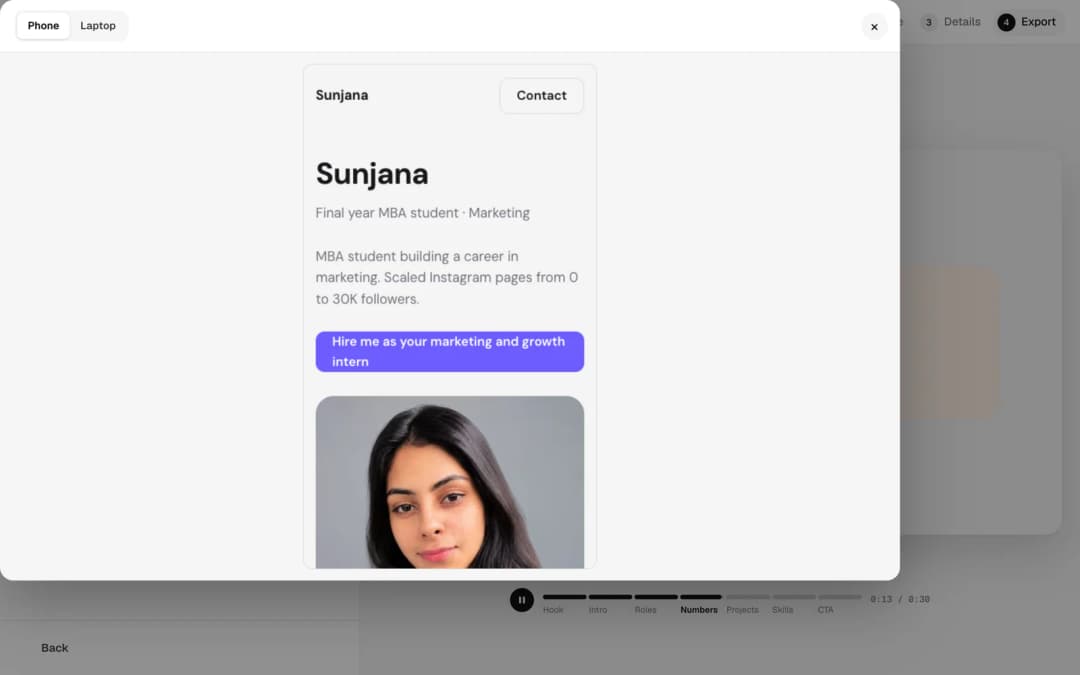
Bonus: the file is also your website
Press Preview website to see the same file as a web page, on a phone or a laptop. Open the downloaded file in any browser and it shows your name, headline, about section, photo and call to action. You get a one-page site about yourself before any video exists.
Step 5: Send both to Claude
Open Claude Code or claude.ai, attach the HTML file, paste the prompt and send. Claude Code is the more reliable choice, because it can install the video tools and render on your computer. The prompt asks for Remotion first, with Python, MoviePy and FFmpeg as the second option.
Claude first prints a short table of the facts it will use, your strongest number and three strengths. Then it builds the scenes, renders one still from each scene, checks them for cut-off or overlapping text, and renders the full video.
Step 6: Get your MP4 and ask for changes
Claude sends back the MP4 and a cover image made from the opening frame. Ask for changes in the same chat in plain words, such as "make the hook faster", "use my LinkedIn link on the last screen" or "swap the second project".
What Happens in the 30 Seconds
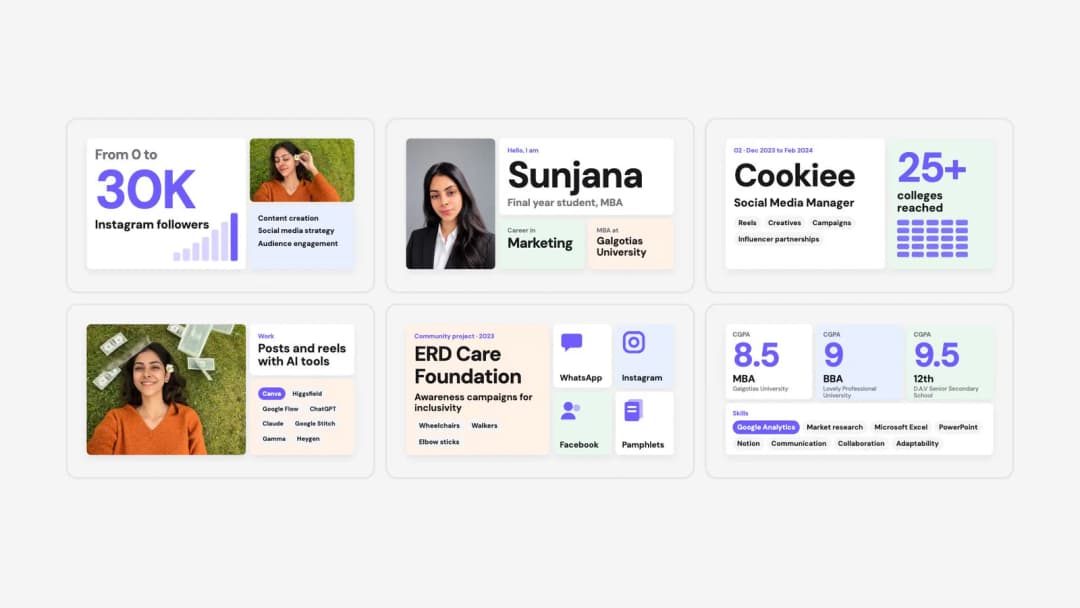
A resume video follows a fixed storyboard, so every second has a job. If a section of your form is empty, that scene is dropped and its seconds go to the scenes next to it.
| Time | Scene | What it shows |
|---|---|---|
| 0 to 3s | Hook | Your single strongest number or achievement |
| 3 to 7s | Reveal | Photo, name and headline |
| 7 to 13s | Experience | Up to 3 roles, each with its win |
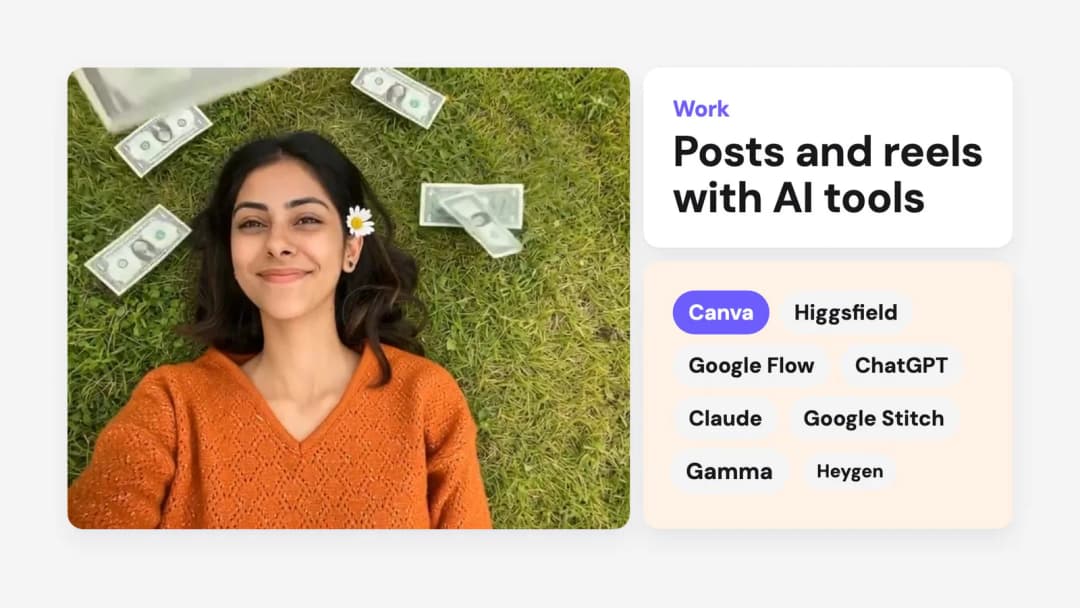
| 13 to 19s | Work | Projects and screenshots |
| 19 to 23s | Credentials | Education, achievements and skills |
| 23 to 26s | Human side | A testimonial, or hobbies |
| 26 to 30s | Call to action | Your ask and your link, held still for the last 2 seconds |
In the Bento style the grid zooms out near the end, so every scene is visible together before the call to action.
The prompt also tells Claude to use only what is in your file. It must not invent, estimate or round numbers, names, clients or quotes. Check the facts table Claude prints before the render, and correct anything that is wrong.
Using It for a Portfolio
A portfolio video is the same "You" video with more visuals. The form takes a screenshot for each project and up to 6 more work examples, such as designs, dashboards, posts or event photos. These appear inside phone or card mockups in the Work scene.
- Designers and marketers: upload finished work, not work in progress. One clear image per project reads better than a busy collage.
- Students and freshers: projects, internships and college achievements fill the video when work experience is short.
- Creators: a screenshot of your page with its follower count is stronger proof than the number typed alone.
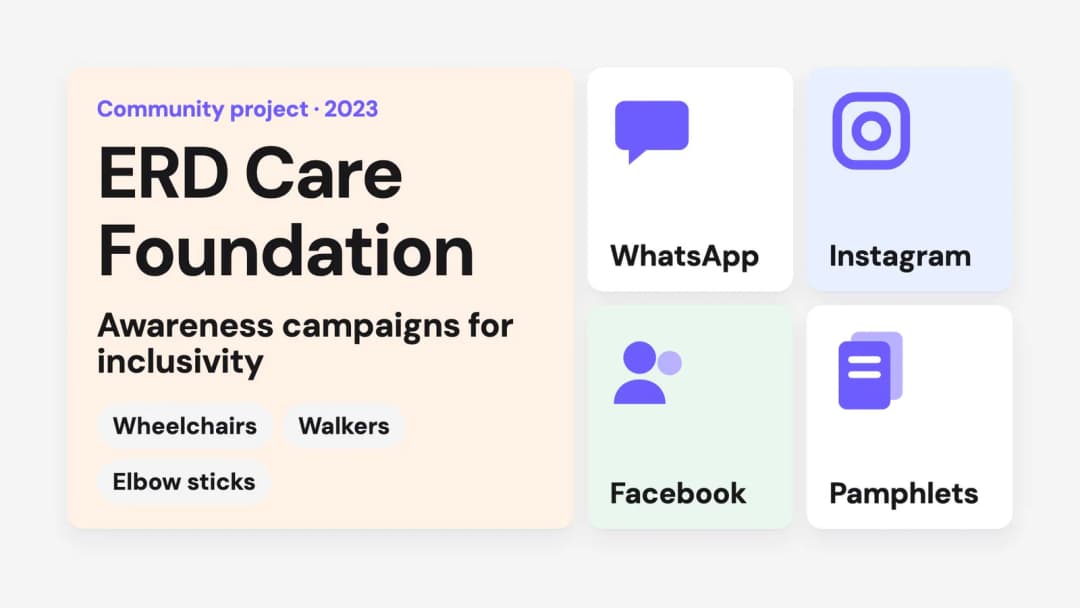
If a project has no screenshot, Claude can still make it visual. In the example, a community project with no photos became a tile for each channel the campaign ran on.
Once you have the MP4, put it where your portfolio already lives. If you do not have a portfolio site yet, this guide turns your resume into a portfolio website in three ways.
Using It for a Product Demo Video
Choose Your product in step 1 and the form changes. It asks for the product name, a one-line description, the problem, why now, up to 4 audiences, key numbers, up to 6 product screenshots, what users say and a few founder details.
The product storyboard runs: the problem in at most six words, the logo and one-liner, one card per audience, the "why now" line, numbers counting up beside your screenshots, the founder, and the call to action with your link.

Tip for product videos: upload phone-width screenshots if you can. Full desktop screenshots have small text once they sit inside a video frame.
Where to Share Your Intro Video
- LinkedIn: post the landscape version, or add it to the Featured section of your profile.
- Your resume: upload the video somewhere public and add the link next to your email and LinkedIn.
- Your portfolio website: place it at the top of the home page.
- Instagram Reels and YouTube Shorts: use the portrait 9:16 version.
- Cold emails and applications: a 30-second video link is quicker to open than an attachment.
Before You Share It
- ✓ Every number matches your resume
- ✓ Company names and dates are spelled correctly
- ✓ The last screen has one clear ask and one working link or email
- ✓ No text is cut off at the edges
- ✓ The final frame stays still long enough to read
- ✓ The photo is clear and recent
Frequently Asked Questions
Is the Intro Video Maker free?
Yes. Filling the form, downloading the file and copying the prompt are free on Above Yellow. The video is rendered by your own Claude, so it uses your Claude plan.
Do I need to know coding or video editing?
No. You fill a form and paste one prompt. Claude writes the code, composes the music and renders the MP4.
Which Claude should I use?
Claude Code is the most reliable, because it can install Remotion and FFmpeg and render the video on your computer. You can also attach the file and paste the prompt in claude.ai.
Can I make a video resume without recording myself?
Yes. The video is built from text, numbers and the photos you upload. There is no camera recording and no voiceover.
How long is the video and what size is it?
Every video is exactly 30 seconds at 30 frames per second. Landscape is 1920×1080 and portrait is 1080×1920.
Can I change the video after Claude makes it?
Yes. Ask in the same chat, for example "make the hook faster" or "change the accent colour". To change facts, edit the form, download the file again and send the new file.
Can I use it for a product demo video?
Yes. Choose "Your product" in the first step. The form then asks for the problem, the audiences, proof and screenshots, and the storyboard changes to match.
Your resume tells them. A 30-second video shows them.
Fill one form, download one file and let your own Claude render the video.
Make your intro video →