Turn Your Resume Into a Portfolio Website
Turn your resume into a portfolio website three ways: an editable Above Yellow template, vibe-coding tools like Lovable, Replit or Emergent, or Claude.

You can turn your resume into a portfolio website in three ways: edit a ready-made portfolio template on Above Yellow, generate one with a vibe-coding tool such as Lovable, Replit or Emergent, or build a custom one with Claude or Claude Code. None of the three needs advanced coding skills to start. This guide walks through each method step by step, with the full prompt for the two AI routes, and shows how to add the finished link to your resume.
Your resume tells recruiters what you've done. Your portfolio lets them see your work, projects, skills and experience in one place. Whether you are a student, a fresher applying for internships, or a working professional changing jobs, a personal portfolio website gives a recruiter something to open after the resume has done its job.
Why Add a Portfolio to Your Resume?
A resume is useful for quickly summarising your education, experience, skills and achievements. But it has one page, and space runs out fast.
A portfolio website gives you room to show what a resume can only mention:
- Projects you've actually built
- Screenshots and demos
- Case studies
- GitHub or live project links
- Work experience in more detail
- Certifications and skills
- A short introduction about you
- Contact information
Instead of trying to fit everything onto one page, you add one line to the resume, such as Portfolio: yourname.com or Portfolio: yourname.aboveyellow.com, and the recruiter can explore your work in as much detail as they want.
Three Ways to Build Your Portfolio
Use a ready-made editable portfolio
Start from a finished Above Yellow template and replace the content with yours. Best if you want to launch quickly without designing or building a website from scratch.
Build one with Claude
Use Claude or Claude Code to turn your resume into a custom portfolio. Best if you want the most control and are comfortable working with generated code.
Let's build the same portfolio all three ways.
Method 1: Use an Editable Above Yellow Portfolio Template
The easiest way to create a portfolio website is to start with one that is already finished. Instead of asking AI to design an entire website from nothing, you pick a portfolio that is already designed and replace the information with yours.
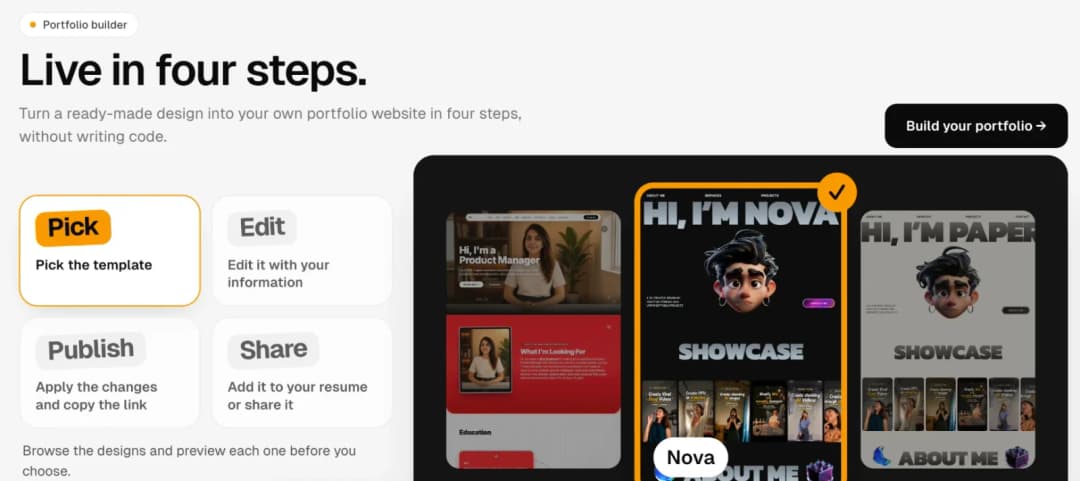
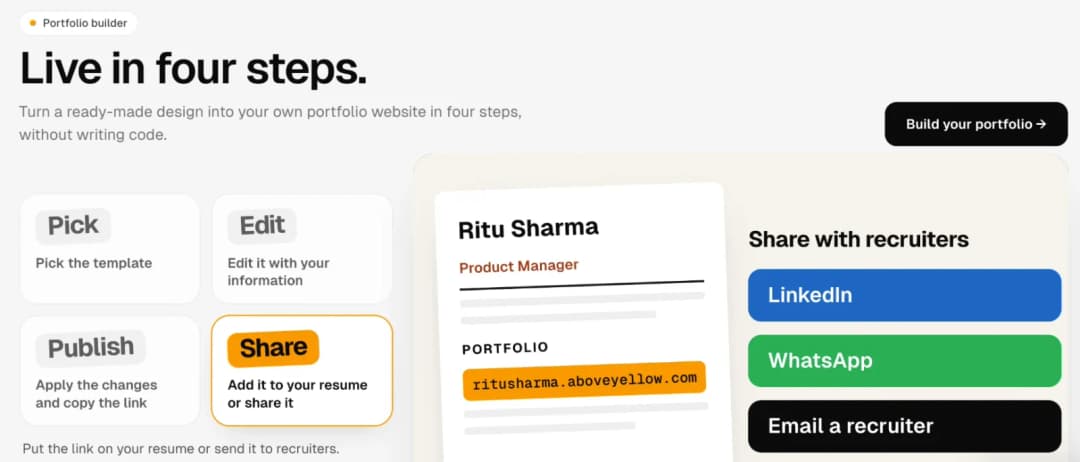
On aboveyellow.com/portfolios the whole workflow is four steps: Pick → Edit → Publish → Share.
Step 1: Pick a portfolio template
Open the portfolio template library and browse the designs. You don't need to think about layout, typography, navigation, sections, spacing or how it looks on a phone; those decisions are already made.
Preview the templates and choose the one that matches your personality and profession.
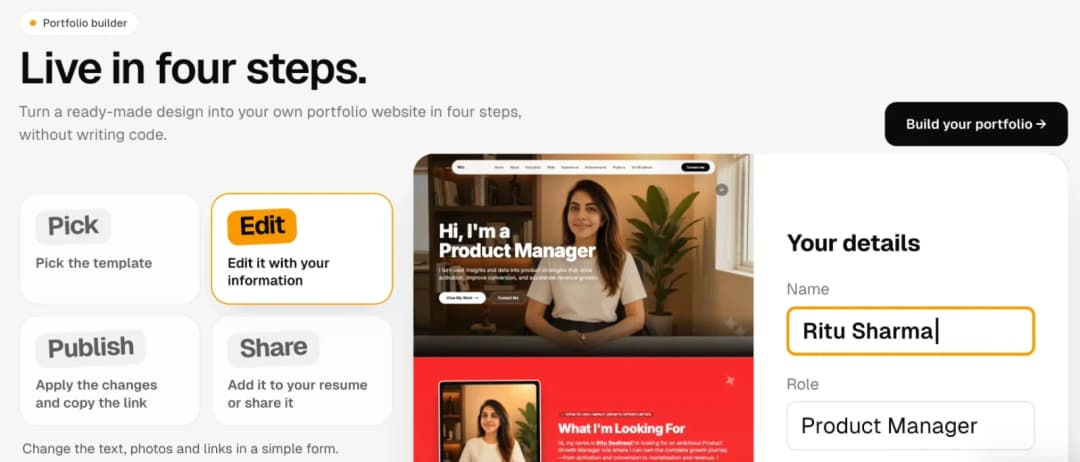
Step 2: Replace the template with your information
Once you've chosen a template, fill it in with your own details: name, role, about section, experience, projects, skills, education, links and profile picture. It's a simple form, and the portfolio updates as you type.
Where the template supports it, you can also:
- Reorder sections so what you want recruiters to notice first sits higher on the page.
- Hide sections you don't need. If you don't have certifications yet, you don't need an empty certifications section.
- Upload your own photos, such as a profile photo or project screenshots, in place of the sample images.
The goal is to make the template yours without rebuilding the website.
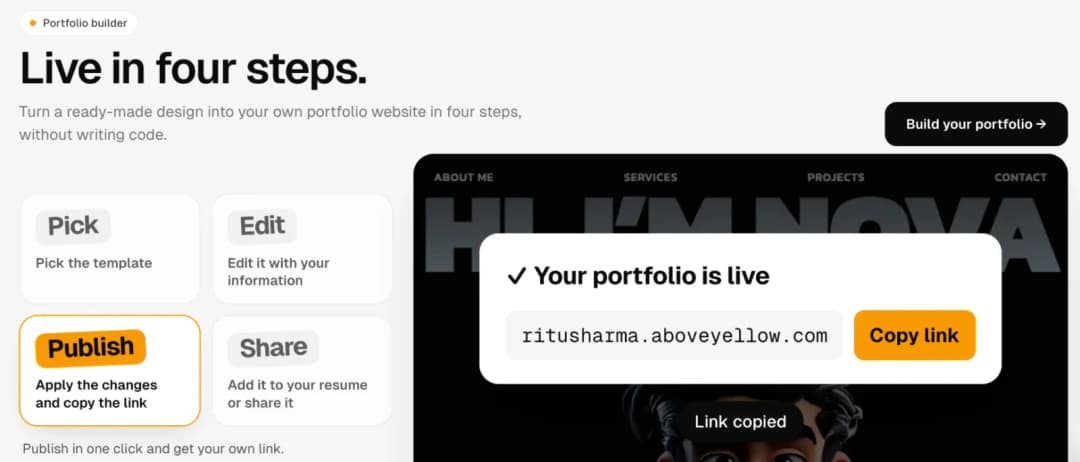
Step 3: Publish your portfolio
When the information looks right, apply the changes and publish. You get a shareable link to your live portfolio, like ritusharma.aboveyellow.com in the example below.
You don't have to set up hosting, deployment, a GitHub repository, build commands or a domain just to share it.
Step 4: Add the portfolio to your resume
Copy your portfolio link and put it near the top of your resume, next to your email, phone, LinkedIn and GitHub:
Portfolio: ritusharma.aboveyellow.com
Send the same link when you apply for jobs and internships, message recruiters, cold-email companies or network on LinkedIn.
Why this approach saves time
The biggest advantage of starting with a ready-made portfolio is that most of the decisions have already been made. You don't need to decide which framework to use, how the navigation should work, which sections to include, how it should behave on mobile, where to host it or how to deploy it.
Your job becomes much simpler: Pick → Edit → Publish → Share.
Try an editable portfolio
Pick a design, put your details in, and get your own link.
Create your portfolio with Above Yellow →Method 2: Build Your Portfolio With Vibe-Coding Tools
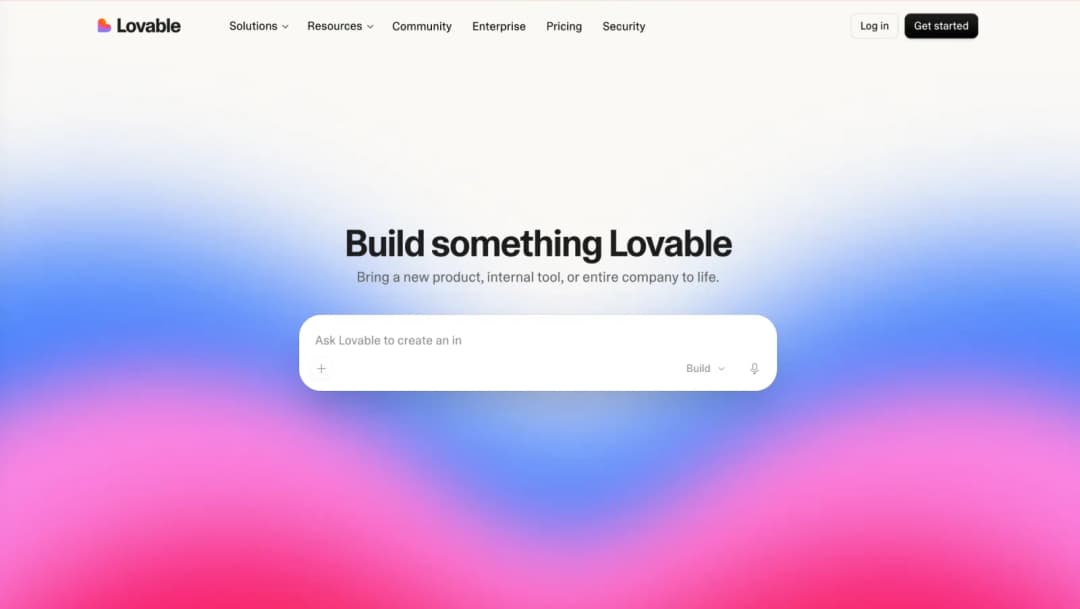
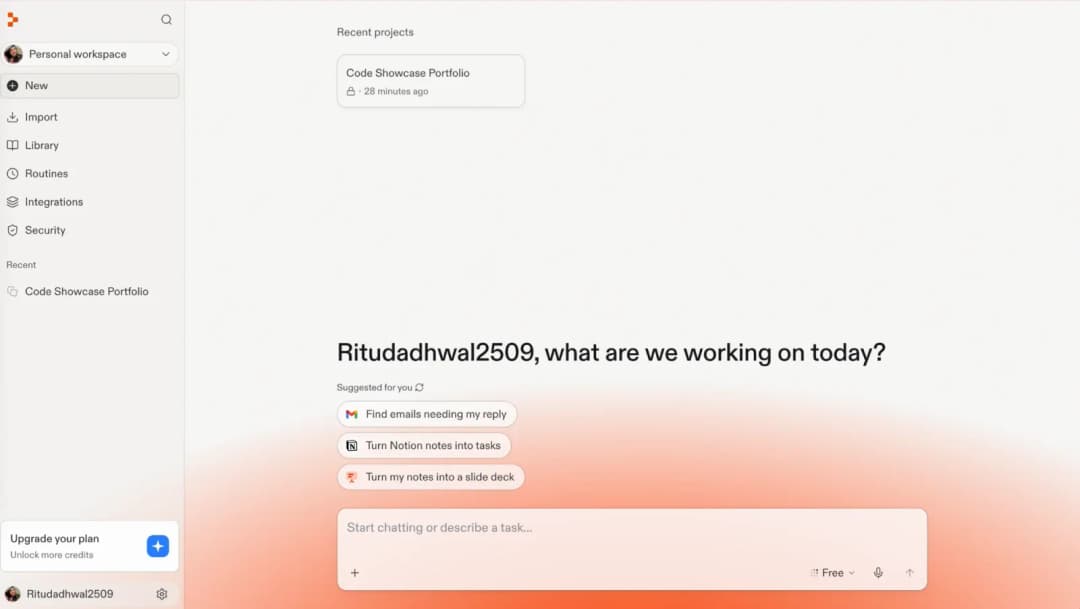
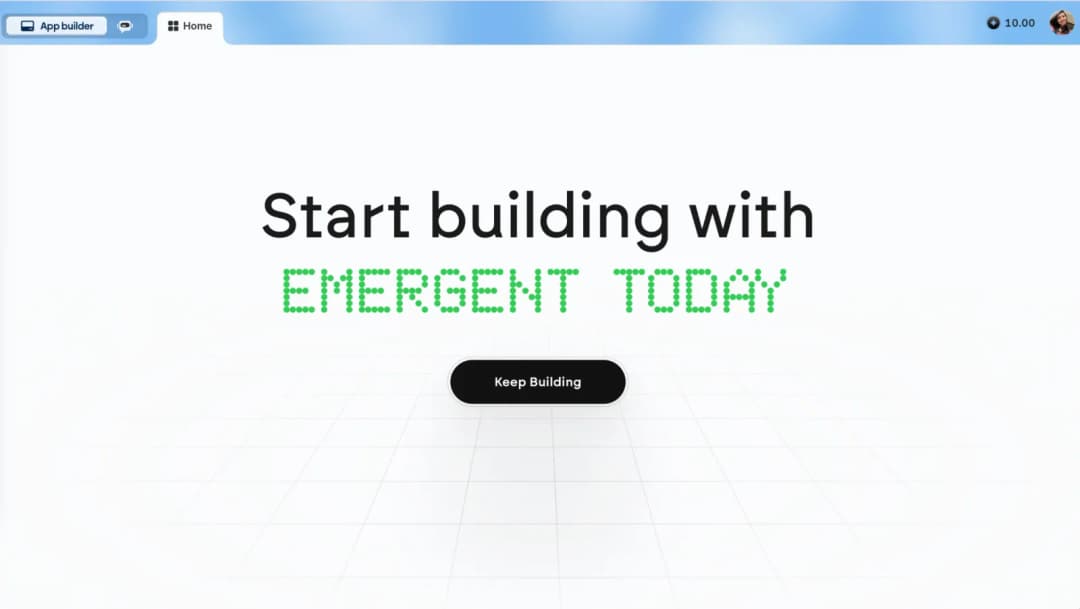
If you want more control over the design, you can generate the website with a vibe-coding platform. Vibe coding means describing what you want in plain English and letting AI write the website for you. Three popular tools are Lovable, Replit and Emergent.
The workflow is: Resume → Prompt → Generate → Review → Edit → Publish.
Step 1: Prepare your resume
Download your latest resume as a PDF or copy its full text. Check that it has accurate information about your experience, education, projects, skills, achievements, contact details, LinkedIn and GitHub. The AI will build from exactly what you give it.
Step 2: Upload your resume
Open the vibe-coding tool you want to use: Lovable, Replit or Emergent. Upload your resume if the tool accepts file uploads; otherwise paste the resume text into the prompt. Then give it clear instructions about what to build, like the prompt below.
Step 3: Copy this portfolio prompt
Works in Lovable, Replit, Emergent, Claude and Claude Code. Paste your resume at the end.
Build me a modern, responsive personal portfolio website based on my resume below.

## Goal

Create a professional, single-page portfolio that makes a strong first impression on recruiters and hiring managers within 10 seconds.

It should feel polished and distinctive rather than like a generic website template.

## Sections

Create the following sections in this order:

1. Hero
Include my name, current title, a one-line value proposition, and buttons for:
- View My Work
- Download Resume
- Contact Me

2. About
Write a short, warm 3–4 sentence bio based only on my resume. Write it in first person.

3. Experience
Create a vertical timeline containing:
- Company
- Role
- Dates
- 2–3 achievement-focused bullets per role

4. Projects
Create project cards containing:
- Project title
- Short description
- Tech stack
- Live demo link
- GitHub link

If a link is unavailable, clearly display [ADD LINK].

5. Skills
Group skills into useful categories such as:
- Languages
- Frameworks
- Tools
- Platforms

Display them as clean chips or badges rather than progress bars.

6. Education & Certifications

7. Contact
Include:
- Email
- LinkedIn
- GitHub
- Contact form

Use a mailto fallback if no backend is available.

8. Footer
Include social links and copyright information.

## Design requirements

Use a clean, modern aesthetic with strong visual hierarchy and generous whitespace.

Support light and dark mode.

Use one confident accent color consistently.

Use distinctive typography for headings and a highly readable body font.

Add subtle scroll-triggered animations.

Create a sticky navigation bar with smooth scrolling.

Highlight the currently active section.

The website must work properly on:

- Mobile
- Tablet
- Desktop

Use a hamburger navigation menu on smaller screens.

## Technical requirements

Use React + Vite + Tailwind CSS if supported.

If the platform works better with another stack, use its recommended stack.

Store all resume content in one data file such as:

data.js

or:

content.json

The website should use:

- Semantic HTML
- Alt text
- Accessible color contrast
- Keyboard navigation
- SEO page title
- Meta description
- Open Graph metadata
- Optimized images
- Minimal unnecessary dependencies

Include placeholders for:

- Profile photo
- Resume PDF
- Missing project links

## Content rules

Use ONLY information contained in my resume.

Never invent:

- Companies
- Job titles
- Metrics
- Projects
- Skills
- Achievements

You may rewrite resume bullets to make them concise and impact-focused, but the facts must remain accurate.

If information is missing, write a clearly marked placeholder instead of inventing it.

## When finished

Tell me:

1. The website file structure
2. Which file contains my personal information
3. How I can update my information later
4. How to run the website locally
5. How to publish it online

## My resume

[PASTE YOUR COMPLETE RESUME HERE]
Tip: Don't publish the first version the AI generates without checking it. Compare every experience, project, metric, link and date against your original resume.
Step 4: Iterate with follow-up prompts
The first output doesn't have to be the final portfolio. Send short follow-up prompts to refine it, one change at a time:
Make the hero section more minimal and professional.Move Projects above Experience.Reduce the amount of text throughout the website.Make the mobile version easier to scan.Add a case-study layout to my projects.Make the design suitable for a product manager.Check the entire website for mobile responsiveness.Do not invent any information that isn't present in my resume.
Step 5: Publish
When the website is finished, publish it with whatever deployment option your platform offers. Before sharing the link, test it on desktop and mobile, and check the navigation, resume download, LinkedIn link, GitHub link, project links and contact details. Then add the final URL to your resume.
Method 3: Build Your Portfolio With Claude or Claude Code
Claude gives you two useful ways to build a portfolio website from your resume.
Approach A: Claude chat
Open Claude, give it your resume and the portfolio prompt above, and ask it to generate the portfolio. Preview the result in the chat and keep refining it with prompts. This is a good way to experiment with structure and look before you move to a full development setup.
Approach B: Claude Code
For more control, use Claude Code, Anthropic's AI coding agent that writes real project files on your computer. Create a new, empty project folder, open Claude Code in it, and give it your resume plus the same portfolio prompt. Claude Code creates the whole project. Then iterate with prompts like these:
Improves what a recruiter understands in the first 10 seconds.
Review this portfolio from the perspective of a recruiter.

Improve the information hierarchy so the most important information can be understood within 10 seconds.

Do not change or invent any factual information from my resume.
Fixes the phone layout without touching desktop.
Review the portfolio on mobile.

Fix spacing, typography, navigation, overflowing content and touch targets.

Do not change the desktop design unless necessary.
Adds the metadata that makes your link look right when shared.
Optimize the website for performance and SEO.

Add appropriate page metadata and Open Graph tags based on my name and professional title.
Publishing your Claude Code website
A Claude Code portfolio lives as project files on your computer, so it needs one more step to go online. The usual path is Claude Code → project files → GitHub → hosting platform → public URL. Vercel, Netlify and GitHub Pages are common hosting options, depending on how the project was built. You can ask Claude Code to walk you through it.
The end goal is simply a public URL, such as yourname.com, that you can put on your resume.
Compare the Three Methods
| Above Yellow templates | Vibe coding | Claude / Claude Code | |
|---|---|---|---|
| Starting point | Finished template | AI-generated website | AI-generated custom code |
| Coding knowledge | Not required | Usually not required to start | Helpful for advanced changes |
| Prompt writing | Not required | Required | Required |
| Initial setup | Low | Medium | Medium–High |
| Design decisions | Mostly predefined | You + AI | You + AI |
| Customisation | Template-based | High | Very high |
| Editing content | Structured form | Prompt, editor or code | Prompt or code |
| Deployment | Built into the workflow | Depends on the platform | Needs a deployment workflow |
| Best suited for | Fast portfolio creation | AI customisation | Maximum control |
Which approach should you use?
Choose a ready-made template if your priority is getting a polished portfolio online quickly, without spending time on design, prompting, coding or deployment. Start on Above Yellow.
Choose vibe coding if you enjoy experimenting with AI and want more freedom over the design. Try Lovable, Replit or Emergent.
Choose Claude or Claude Code if you want deeper control over how the site is built and are comfortable spending more time refining and publishing it. Open Claude or Claude Code.
Don't confuse building a portfolio with building portfolio software. For most students and job seekers, the goal isn't "I want to become a web developer today." It's "I need a professional place where recruiters can see my work." If learning AI development is part of your goal, building the portfolio with vibe coding or Claude is a good project in itself. If the portfolio is mainly a tool for applying to jobs, starting from a ready-made template saves most of the setup work.
What Should Go Into Your Portfolio?
Whichever method you choose, a good portfolio answers four recruiter questions quickly.
Who are you?
Your name, role and a short introduction.
What have you done?
Your experience and achievements.
What can you build or contribute?
Projects, case studies and work samples.
How can someone contact you?
Email, LinkedIn, GitHub and any other relevant links.
Don't add information just to make the website longer. A shorter portfolio that answers these four questions well beats a long one a recruiter has to dig through.
How to Add Your Portfolio to Your Resume
Put the portfolio link in your resume header, next to your contact information, so recruiters don't have to search for it:
RITU SHARMA
Product Manager
Email: name@email.com
LinkedIn: linkedin.com/in/yourname
Portfolio: yourname.aboveyellow.com
In a PDF resume, make the portfolio line a clickable link, so a recruiter reading on screen can open it in one tap.
Before You Share Your Portfolio
Run through this checklist before the link goes on your resume:
- ✓ Name and title are correct
- ✓ Contact details work
- ✓ LinkedIn opens correctly
- ✓ GitHub opens correctly
- ✓ Projects contain accurate information
- ✓ Resume downloads correctly
- ✓ No placeholder content remains
- ✓ Website works on mobile
- ✓ Website works on desktop
- ✓ No AI-generated fake achievements or metrics remain
- ✓ Portfolio URL has been added to the resume
Frequently Asked Questions
Can I make a portfolio website without coding?
Yes. An editable portfolio template on Above Yellow needs no coding and no prompt writing: you pick a design, fill in a form with your details and publish. Vibe-coding tools like Lovable, Replit and Emergent also let you start without code, but you describe the site in prompts and review what the AI builds.
What is the fastest way to turn my resume into a portfolio?
Starting from a ready-made template is the fastest, because the design, layout, mobile version and hosting are already done. You only replace the sample content with your resume details, then publish and copy the link.
Can AI build my portfolio website from my resume?
Yes. Upload or paste your resume into Lovable, Replit, Emergent, Claude or Claude Code along with a clear portfolio prompt, like the one in this guide. Always check the result against your resume, because AI can invent job titles, metrics or projects if you don't tell it not to.
Where should the portfolio link go on my resume?
Put it in the header, next to your email, phone, LinkedIn and GitHub, so it is the first thing a recruiter sees. Make it a clickable link in the PDF.
Is a portfolio useful for freshers and students?
Yes. Students and freshers often have more projects than work experience, and a portfolio gives those projects room for screenshots, demos, GitHub links and case studies that a one-page resume cannot fit.
Your resume tells them. Your portfolio shows them.
You don't need days to build a portfolio from scratch. Pick a design, replace it with your information, publish it, and add the link to your resume.
Build your portfolio →