Recruiters look at your LinkedIn before they open your CV. Most people haven't updated theirs since their last job hunt. You don't need a paid course to fix it. These 10 hacks take about 30 minutes with ChatGPT, Claude or Gemini, and every prompt and message is ready to copy.
1. Rewrite your whole profile with one AI prompt
Don't paste your profile link into ChatGPT. LinkedIn blocks it behind a login, so the AI either can't read it or guesses. Do this instead:
- Open your profile, click More → Save to PDF.
- Upload the PDF to ChatGPT or Claude.
- Paste the prompt below. Change the role and domain in the first line.
Act as a recruiter hiring for a [Senior Product Manager] in [B2C].

I've attached my LinkedIn profile. Do the following:

1. Pick the 5 most important keywords a recruiter would search for this role. Base them on real job descriptions for this role.

2. Rewrite my profile using those 5 keywords:
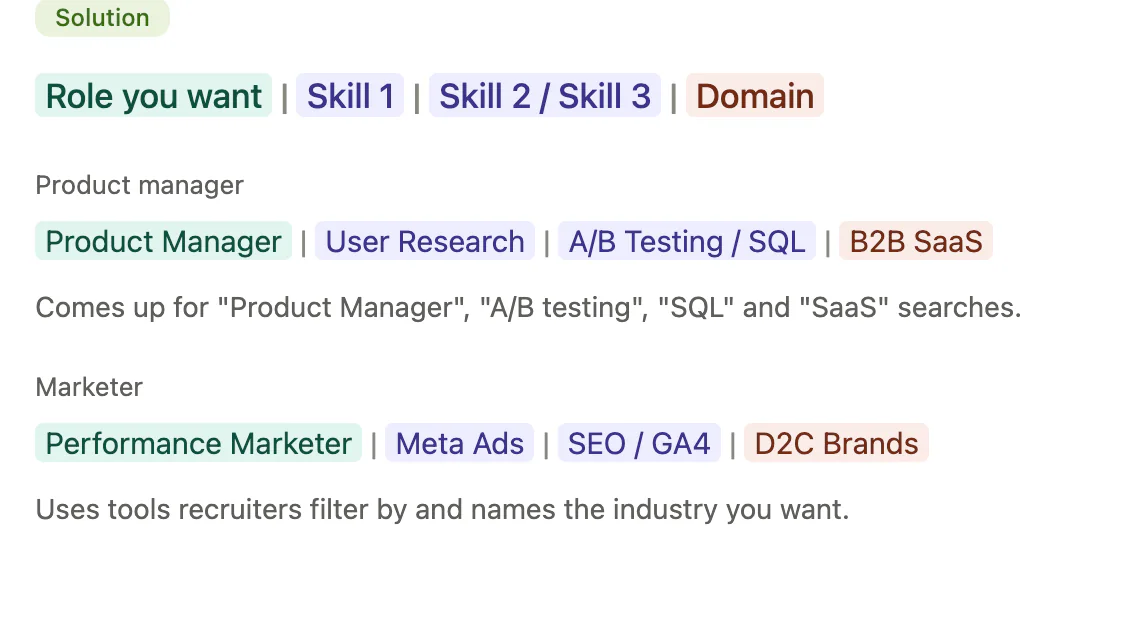
   - Headline: Role | Skill 1 | Skill 2 / Skill 3 | Domain (under 220 characters)
   - About: 3 short paragraphs in first person. Start with what I'm working toward, not my education.
   - Experience: 3–5 bullets per role. Each bullet follows "Achieved X by doing Y, resulting in Z", with a number in each.
   - Skills: list the top 10 skills I should add.

3. As the recruiter, tell me: would this profile show up in your search for this role? What would still make you scroll past?

Use only facts from my profile. If a number is missing, ask me instead of inventing one.
The prompt running in Claude: keywords, the new headline, About and experience bullets, then the recruiter's verdict.
Write every experience bullet in one format
Recruiters skip bullets that only list your duties. Each bullet should say what you achieved, how, and what it led to:
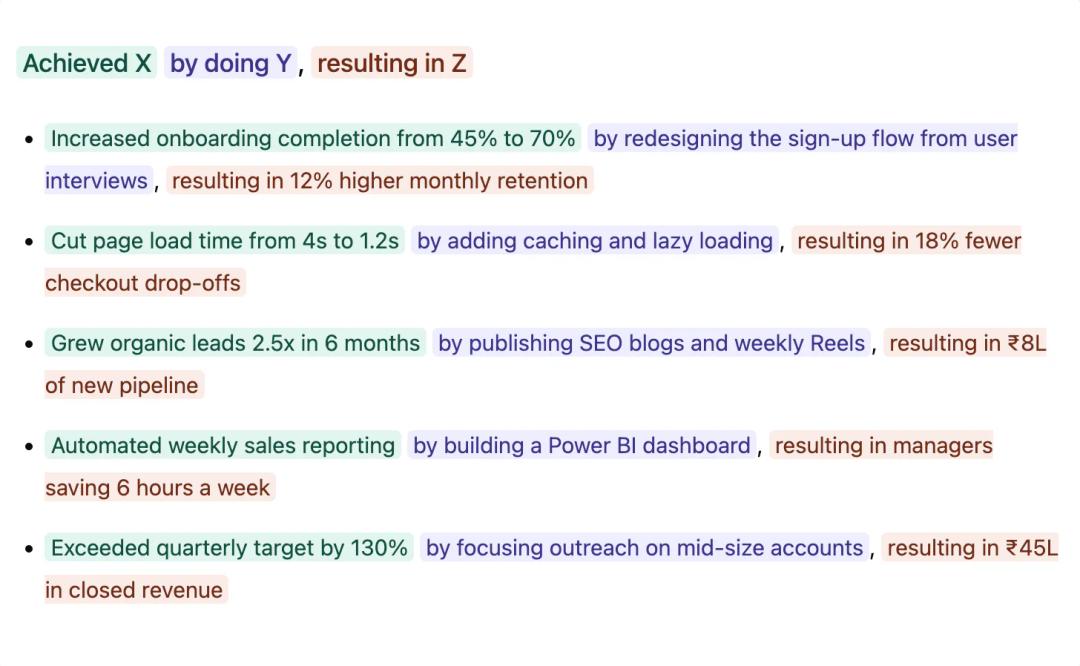
Start with a strong verb (Grew, Cut, Built, Launched), put a number in every bullet, and keep 3–5 bullets per role. If you don't know an exact number, an honest estimate like "~20%" is fine. A made-up one isn't, because recruiters ask about it in the interview.
2. Turn your headline into keywords
Your headline shows up in search results, comments and connection requests. Recruiters search by keyword, so a headline that's only a job title and a company never comes up.
The problem: a job title, a company name and filler words that nobody searches for.
Use this format instead: Role you want | Skill 1 | Skill 2 / Skill 3 | Domain.
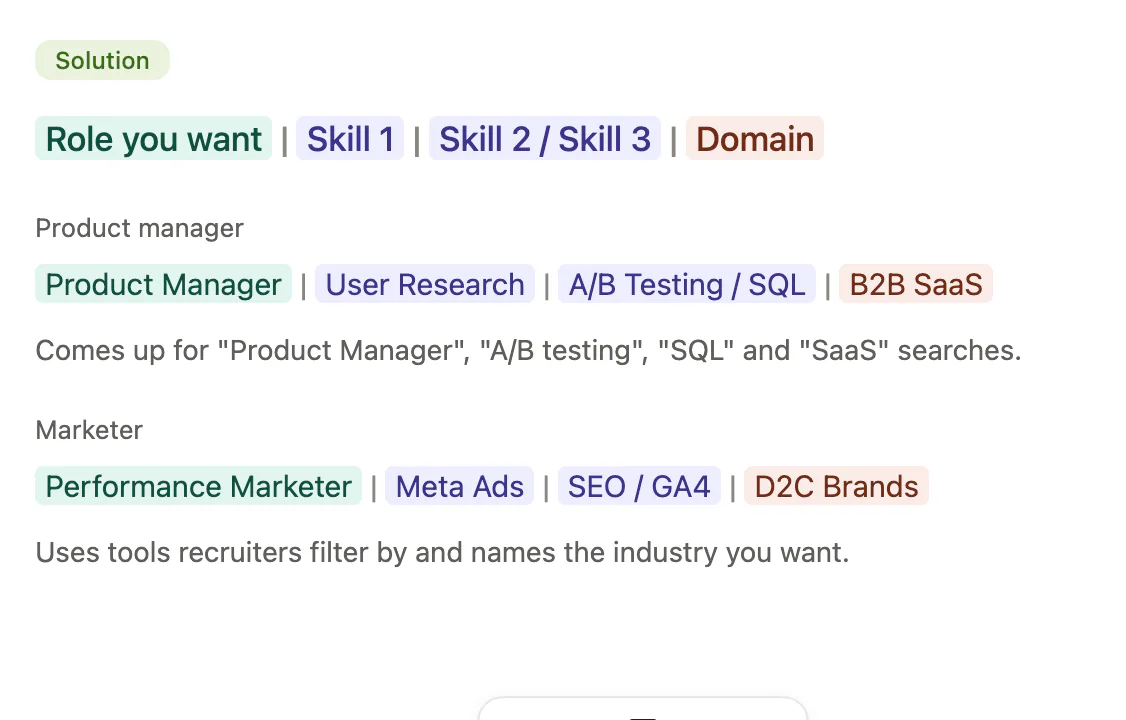
Put the role first, because only the first ~60 characters show on mobile. Use 3–4 skills, not 10. Use the words recruiters actually type ("Data Analyst", not "Data Ninja").
3. Change your profile URL to your name
linkedin.com/in/your-name looks far more polished on a CV than a string of random numbers.
Open your profile and click Public profile & URL on the right.
Under Edit your custom URL, click the pencil icon.
Type your name (add a number if it's taken) and click Save.
On the mobile app, go to your profile, tap Contact info, tap the pencil next to your profile URL, and edit it there.
4. Turn on Open to Work for recruiters only
Click Open to → Finding a new job, add the roles and locations you want, and under visibility pick Recruiters only. Recruiters using LinkedIn's hiring tools can now filter for you, and you don't need the green banner on your photo. People at your current company who use those tools aren't shown it, though LinkedIn can't fully guarantee that.
5. Show your photo to all LinkedIn members
Many people's profile photo is only visible to their connections, often without them knowing. A recruiter who isn't connected to you then sees a grey circle. Go to Settings → Visibility → Edit your public profile and set your profile photo to All LinkedIn members (or Public).
6. Use a professional photo and banner
You don't need a photoshoot. Upload a clear selfie with good light to ChatGPT and use these prompts:
Turn this selfie into a professional LinkedIn profile photo. Keep my face, features, skin tone and hairstyle exactly the same. Change only the clothes to a smart [blazer / formal shirt], the background to a soft, plain [light grey] studio background, and the lighting to soft, even front light. Head and shoulders, facing the camera, square 1:1 frame, natural and realistic, no filters or smoothing.
Design a clean LinkedIn banner, 1584 x 396 pixels. Text: "[Senior Product Manager] | [Growth · Monetisation · B2C]". Put the text on the right two-thirds, because my profile photo covers the bottom-left corner. Use a minimal style with [soft blue] tones, one simple abstract shape, plenty of empty space, and no stock photos.
Check the photo still looks like you before you upload it. A recruiter will compare it with your face on the video call.
7. Post about one win or lesson each week
You don't need to go viral. A short post about a project, a result or something you learned shows recruiters what you actually do, and LinkedIn shows more of your posts when you post regularly.
Write a LinkedIn post (under 150 words) about this: [what you did, the result, and one thing you learned].

Start with a one-line hook about the result. Then 3 short lines on what I did and what I learned. End with a question for readers. First person, plain words, no hashtag spam (3 at most), no emojis in every line. Don't add any number I haven't given you.
What a weekly post can look like
Three easy formats that work even with a small network:
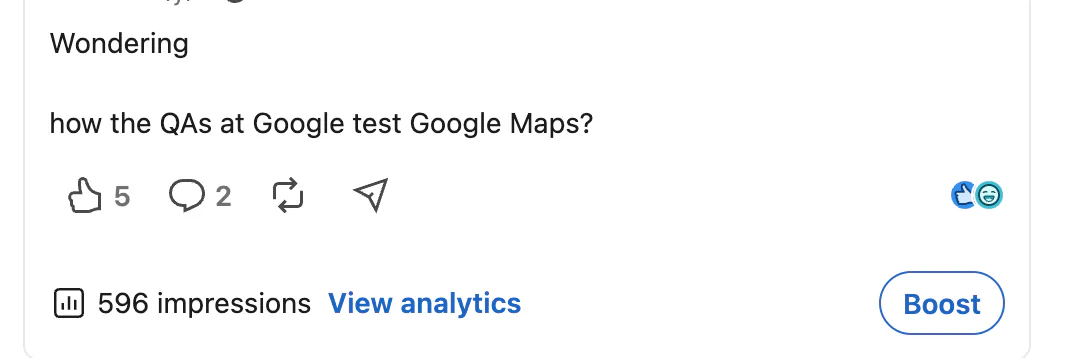
- A one-line question that makes people curious and invites comments.
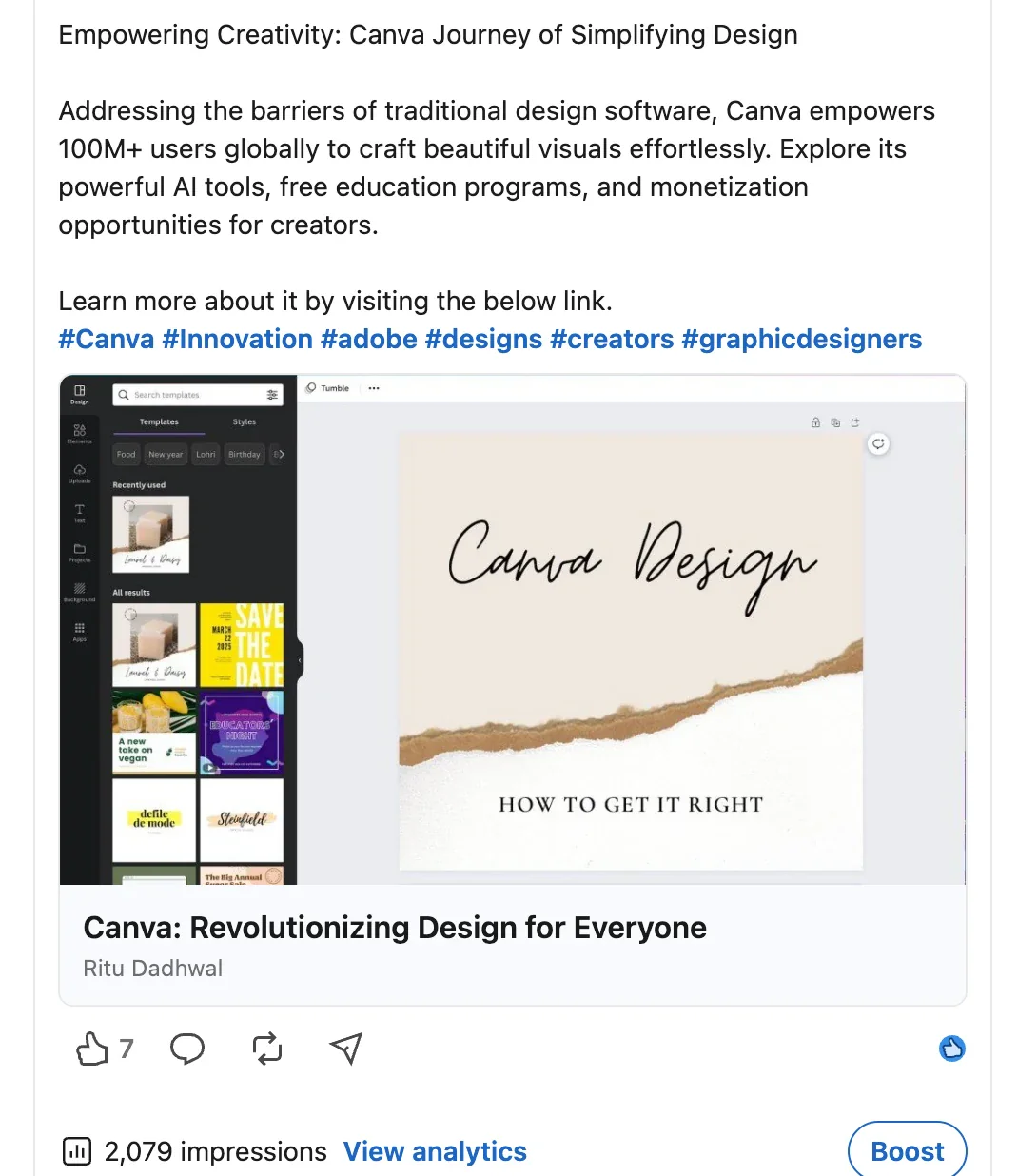
- A product breakdown: what a tool does well and why it works, with a cover image.
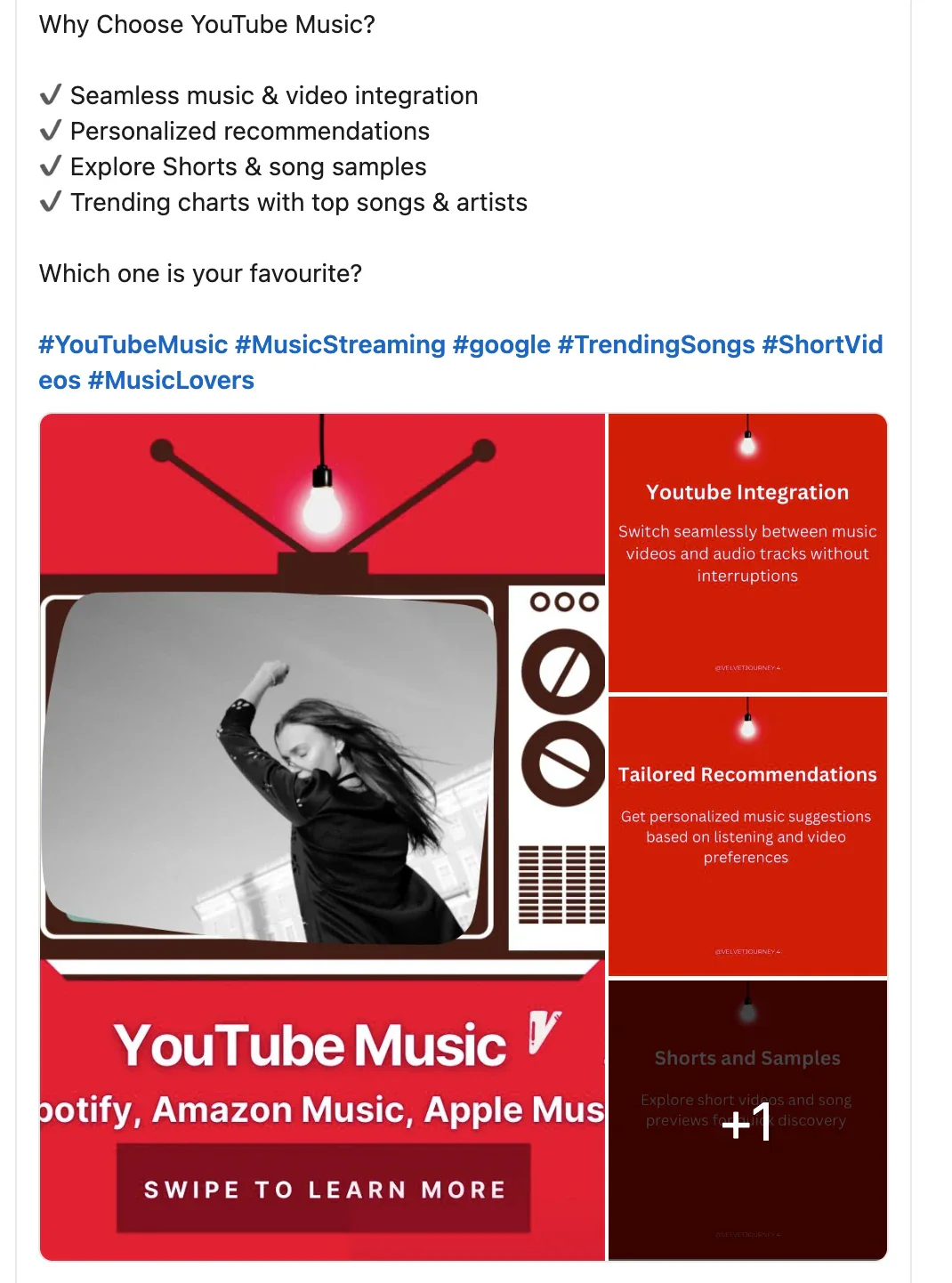
- A carousel of 4–5 slides explaining one idea. Upload it as a PDF, not as photos, so the slides stay in order (under 10 MB).
8. Send warm messages to people at your target companies
Pick 3 people a week at companies you want to join. Don't ask for a job or a referral in the first message. Ask how they got there and what the team values. That often turns into a referral without you asking.
Hi [Name], I've been following [Company]'s work on [product/feature], and your post on [topic] stood out. I'm a [your role] looking to grow into [target role]. Would you be open to a 15-minute chat about how you got into the team? I'd really value your advice.
9. Follow up after 2–3 days
People are busy, and a lot of messages get missed rather than ignored. One polite follow-up gets many more replies. Send it once, then move on.
Hi [Name], just bringing this back up in case it got buried. I know you're busy, so even 2–3 lines on what helped you get into [Company] would mean a lot. Thank you!
10. Apply in the first 24 hours (or the first hour)
Early applicants are much more likely to be seen. In the Jobs tab, search for your role and set Date posted → Past 24 hours.
For the very newest jobs: after setting that filter, look at the page address. Find f_TPR=r86400 (86,400 is the number of seconds in 24 hours) and change it to f_TPR=r3600. Press Enter, and you'll see only jobs posted in the last hour. Save the search to get alerts.
Questions people ask
Can ChatGPT read my LinkedIn profile from the URL?
Usually not. LinkedIn shows a login wall to tools that aren't signed in, so ChatGPT or Claude either can't open the profile or guesses its content. Save your profile as a PDF (More → Save to PDF) and upload that instead.
What should a LinkedIn headline include?
The role you want, 3–4 skills recruiters search for, and your domain, in the format Role | Skill 1 | Skill 2 / Skill 3 | Domain. The headline can be up to 220 characters, but put the role first because only the first ~60 show on mobile.
Does Open to Work for recruiters only hide it from my company?
LinkedIn says it takes steps not to show your Open to Work status to recruiters at your current company, but it can't guarantee it. Recruiters-only mode doesn't add the green photo frame.
How do I see only jobs posted in the last hour?
Search in the Jobs tab, set Date posted to Past 24 hours, then change f_TPR=r86400 in the page address to f_TPR=r3600. The number is seconds, so 3,600 is one hour.
Your 30-minute checklist
Profile saved as PDF and rewritten with the recruiter prompt.
Every experience bullet follows "Achieved X by doing Y, resulting in Z".
Headline: Role | Skill | Skill / Skill | Domain.
Custom URL, Open to Work for recruiters only, photo visible to all members.
Professional photo and banner made with AI.
One post a week, 3 warm messages a week, one follow-up each.
Apply with the Past 24 hours (or r3600) filter.