Claude is an AI assistant made by Anthropic: a large language model you talk to in plain language, which answers, writes, researches and builds things for you. This guide takes you from your first message to a Claude that does your weekly work on its own, in twelve steps. Each step builds on the one before, and one running example — a weekly work update — follows you all the way through.
Step 1. Meet Claude
Claude is an LLM, the same kind of tool as ChatGPT. LLM stands for large language model: a program trained on a huge amount of text until it can read and write language almost like a person. ChatGPT (by OpenAI), Gemini (by Google) and Claude (by Anthropic) are all LLMs. They do similar jobs; each company trains its own model, so each has its own strengths.
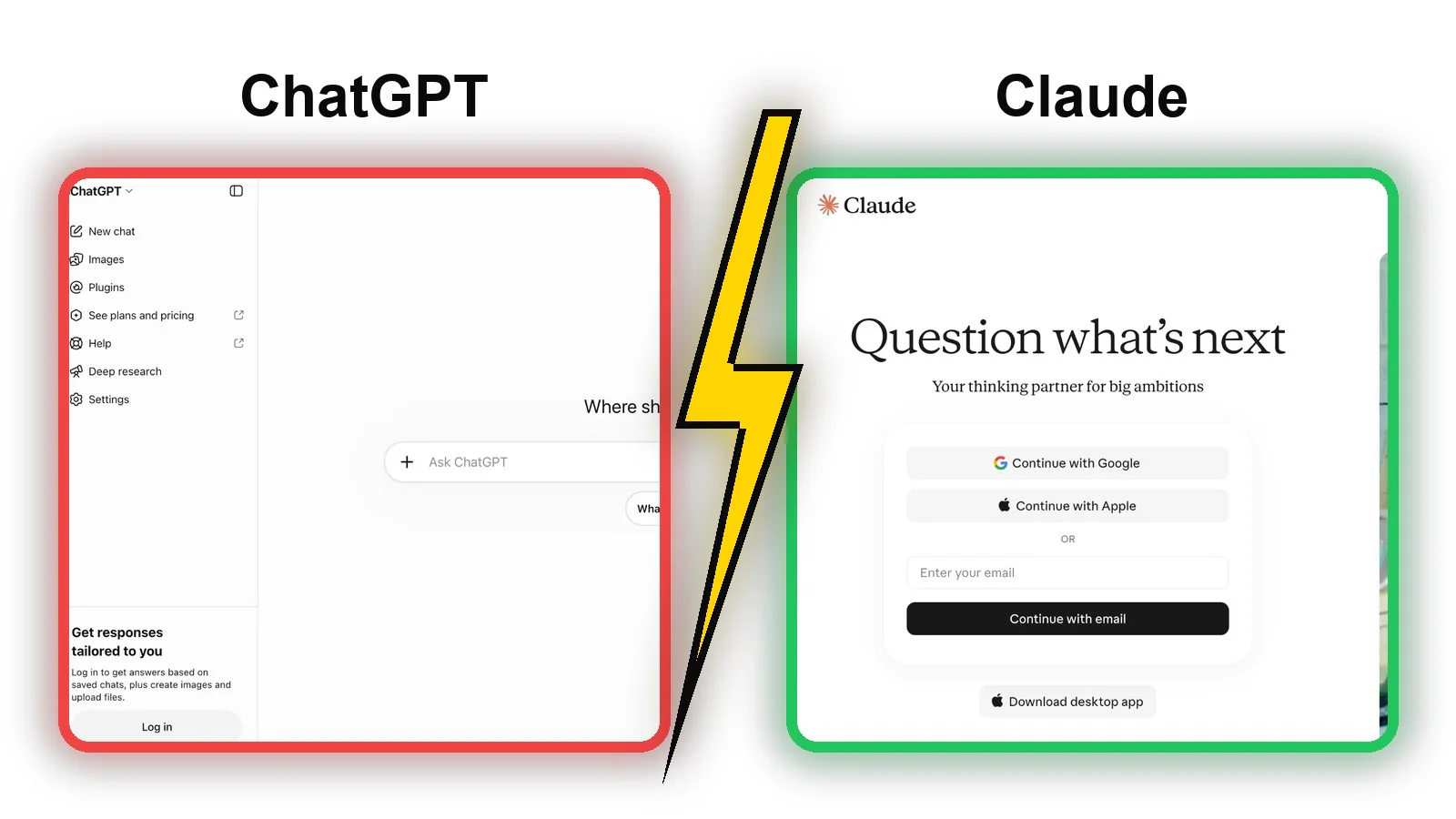
| Claude | ChatGPT | Gemini | |
|---|---|---|---|
| Made by | Anthropic | OpenAI | |
| Type | LLM chat assistant | LLM chat assistant | LLM chat assistant |
| Known for | Careful writing, long documents, coding, safety | Being first and most widely used | Built into Google apps and Android |
It is not a search engine. Google finds pages that already exist. An LLM writes a new answer for you, word by word, from what it learned and what you give it.
One Claude, nothing to switch. Since September 16, 2026, Cowork and chat are one experience (Anthropic). You type what you need, and Claude decides if it needs a quick reply or a longer, multi-step job:
- A quick question gets a quick answer.
- A bigger job (a report, a deck, a research pack) runs in the same chat, and can keep going in the background after you close your laptop.
- Claude asks before it takes an action. You can let it work alone and check in only when needed.
- Anything you make with Docs, Slides or Design gets one share link that also opens on a phone.
Step 2. Understand how it thinks
Claude writes by predicting the next small piece of text, again and again, very fast. Three ideas explain almost everything about how it behaves.
Tokens are the pieces it reads and writes. An LLM doesn't see whole words. It cuts all text into small chunks called tokens, a bit like how a child reads a long word syllable by syllable. Common words are one token; long or rare words split into several.
| Text | Roughly split into | Tokens |
|---|---|---|
| cat | cat | 1 |
| learning | learn · ing | 2 |
| unbelievably | un · believ · ably | 3 |
| "I love Claude!" | I · love · Claude · ! | 4 |
Exact splits vary. A handy rule: 100 tokens ≈ 75 English words, so a 10-page document is roughly 7,000–8,000 tokens. Everything costs tokens — your message, your files, Claude's reply, and the whole chat history it re-reads each turn — and your plan's usage limit is measured in them. Start a new chat for a new topic.
Training is where its general knowledge comes from. Before you ever talk to it, Claude studied a huge amount of text: books, articles, code, public web pages. Picture a student who read a whole library, then sat the exam. It knows a lot, but its reading stopped at a cutoff date, and it can misremember.
The context window is its desk. Everything in the current chat (your messages, its replies, your files) sits on the desk. Claude can only work with what is on it right now. A very long chat crowds the desk and older details slip off.
| Where an answer comes from | Example | Fresh? |
|---|---|---|
| Training | "Explain compound interest" | Up to the cutoff date |
| What you give it | A PDF, a pasted email, a photo | Yes |
| Web search | "What changed in UK visa rules this month?" | Yes, with links |
| Connectors (Step 7) | Your Gmail, Drive, Calendar | Yes, your live data |
| Memory and projects (Step 6) | Your role, your saved files | Yes |
Why it sometimes makes things up. Because it predicts likely text, Claude can sound sure and still be wrong. This is called a hallucination. Ask for sources with links and open them; name the sites to trust; and add "if you can't find it, say not found".
Step 3. Get Claude: install it and pick a plan
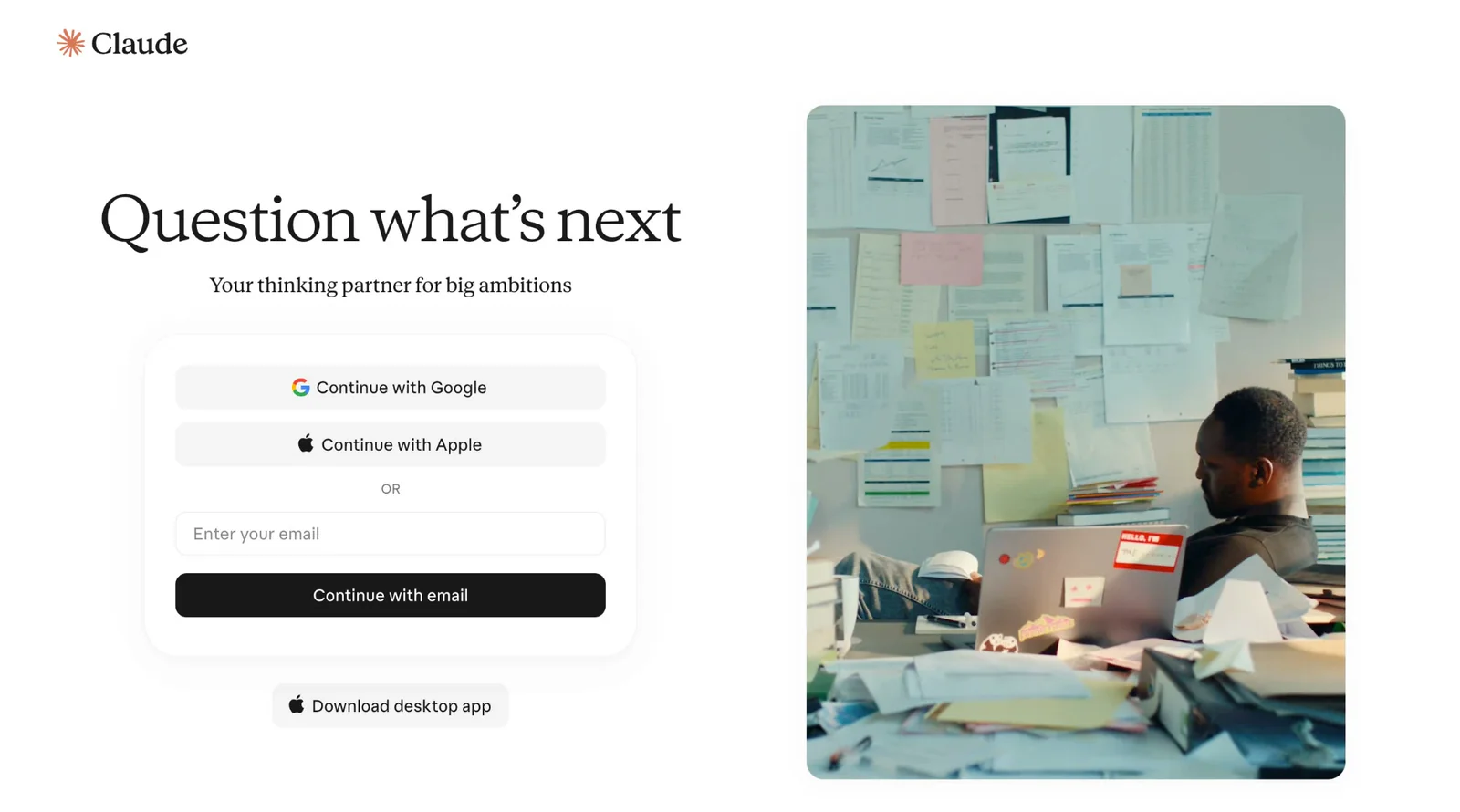
You can start free in two minutes. Sign up at claude.ai with Google, Apple or email, install Claude where you work, and upgrade only when you hit the limits.
| Device | How to install |
|---|---|
| Any browser | Go to claude.ai and sign up. Nothing to install. |
| Mac | claude.com/download → Download for macOS → drag Claude to Applications |
| Windows | claude.com/download → Windows setup (x64 or ARM), or the Microsoft Store |
| iPhone and iPad | App Store → search "Claude by Anthropic" |
| Android | Google Play → search "Claude", or open claude.ai/mobile on your phone |
| Chrome | Claude in Chrome extension from the Chrome Web Store (paid plans) |
The desktop app is the best home for daily work: it can see files on your computer and run long tasks. Every plan, including Free, gets the desktop and mobile apps.
Pick a plan
Plans differ in how much you can use (your token allowance) and which features and models you get. Prices from claude.com/pricing, November 2026, in US dollars before tax:
| Plan | Price | Usage | Best for |
|---|---|---|---|
| Free | $0 | Limited, resets every 5 hours and weekly | Trying Claude: chat, web search, files, memory, artifacts, Design, Docs, Slides |
| Pro | $20/month, or $17/month billed yearly | More than Free | Most individuals: adds Projects, Research, Opus, scheduled tasks, Claude Code |
| Max | $100/month | 5x Pro | Heavy daily users |
| Ultra | $200/month | 10x Pro weekly, no 5-hour limit | Power users |
| Team | $25/seat/month, or $20 billed yearly | More than Pro per seat | Companies of 2–150 people |
| Enterprise | $20/seat/month billed yearly, plus usage | Pay for what you use | Large companies (20+ seats) |
How you pay: by credit or debit card. Pro can be monthly or yearly; Max and Ultra are monthly. Upgrade any time in Settings → Billing and your limits rise straight away. When you hit a limit, Claude tells you when it resets.
The Team plan is one shared, managed workspace for 2 to 150 people. It has two seat types — Standard ($25/month, or $20 yearly) and Premium ($125/month, or $100 yearly, with 5x the usage) — one bill, single sign-on, admin controls, and your team's content is not used to train models by default (claude.com/pricing, 11 Nov 2026).
Step 4. Talk to it well
A good prompt has three parts: the goal, context about you, and permission to ask questions. Write it like a brief to a smart new colleague, not like a search query.
Goal: [what you want] — it is done when [success criteria].
About me: [who you are, your situation, any limits].
If anything is unclear, ask me clarifying questions first.
Our running example starts here. Every Friday you write a work update for your manager. "Write my weekly update" gets you something generic. This gets you something that fits:
Goal: a weekly update for my manager, done when it fits on one screen with Wins, Numbers, Blockers and Next week. About me: I run social media for a skincare brand. Here are my notes: [paste]. Ask me questions first if needed.
Claude often replies with a few clickable questions. Answer them and the result fits much better. Four habits help: talk instead of type (use the microphone), attach the real thing (the PDF or screenshot), iterate ("shorter", "make it a table"), and ask for a file ("make this a doc I can share").
Step 5. Set it up in five minutes with /setup
Claude includes a guided setup skill from Anthropic, Setup Claude, that walks you through installing a plugin for your role, connecting your tools and trying a skill. Open a new chat, type /, pick the setup skill (creators usually call it /setup), and add one line about where you are starting. As of 11 Nov 2026 it is not yet documented in the Claude Help Center, so the exact name in your / menu may differ.
/setup This is a new Claude account. Set up my Claude from scratch, step by step.
Learn about you
Claude asks about your role and daily tasks.
Install a matching plugin
It suggests a ready-made bundle of skills for your kind of work.
Try a skill
It runs one with you so you see how slash commands work.
Connect your tools
It offers connectors for the apps you named, like Gmail, Calendar and Drive. Nothing connects without your OK.
Step 6. Help it remember you
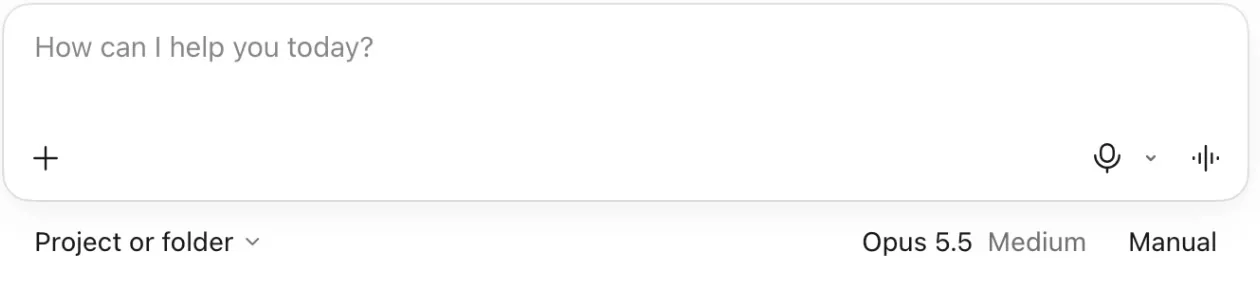
First, pick the right model from the menu under the message box.
| Model | Think of it as | Use it for | Plans (11 Nov 2026) |
|---|---|---|---|
| Fable | The specialist for the hardest problems | The most demanding work; uses your limit fastest | Paid plans only. Included on Max, Ultra and premium Team seats; Pro and standard Team seats use usage credits |
| Opus | The senior expert | Hard reasoning, long reports, complex builds | Paid plans (not on Free) |
| Sonnet | The all-rounder | Most everyday work; a good default | Free and paid plans |
| Haiku | The quick assistant | Short answers and quick rewrites | Check your model menu |
As of November 2026 these are Fable 5.2, Opus 5.5, Sonnet 5.5 and Haiku 5.5. Then give Claude a memory, so you stop repeating yourself:
- Projects group chats that share instructions and files. A "Weekly updates" project with your format and past updates means every chat inside already knows them.
- Memory keeps useful facts about you across chats, like your role. It is on every plan, including Free, and you can see and edit it in Settings → Your Claude.
- Files let you attach PDFs, images and spreadsheets instead of typing numbers.
- Web search brings in live pages with links.
One rule: don't paste passwords, ID numbers or other people's private data, and keep work data on a company plan.
Step 7. Connect your apps
A connector links Claude to an app you already use — Gmail, Google Calendar, Drive, Slack, Notion or Canva — so Claude fetches the information itself instead of you copying and pasting it.
In our example: "Pull this week's campaign numbers from the Drive sheet, check Gmail for anything my manager asked about, and add both to my weekly update." Claude reads all three and drafts the update, and asks before it sends or changes anything.
How to add one: click Plugins in the sidebar (it replaced Customize and became one page for plugins, skills and connectors; generally available from 9 November 2026), filter to connectors and click Connect, then sign in to that app. You can also click + in the message box → Manage connectors. Connect only apps you trust.
Step 8. Build things, not just answers
An artifact is a page, small app, chart, game or dashboard that Claude builds in a panel beside the chat. You use it, ask for changes, and share it with a link. Claude Docs are shared documents you co-write, and Claude Slides are decks you can present or download as PowerPoint or PDF.
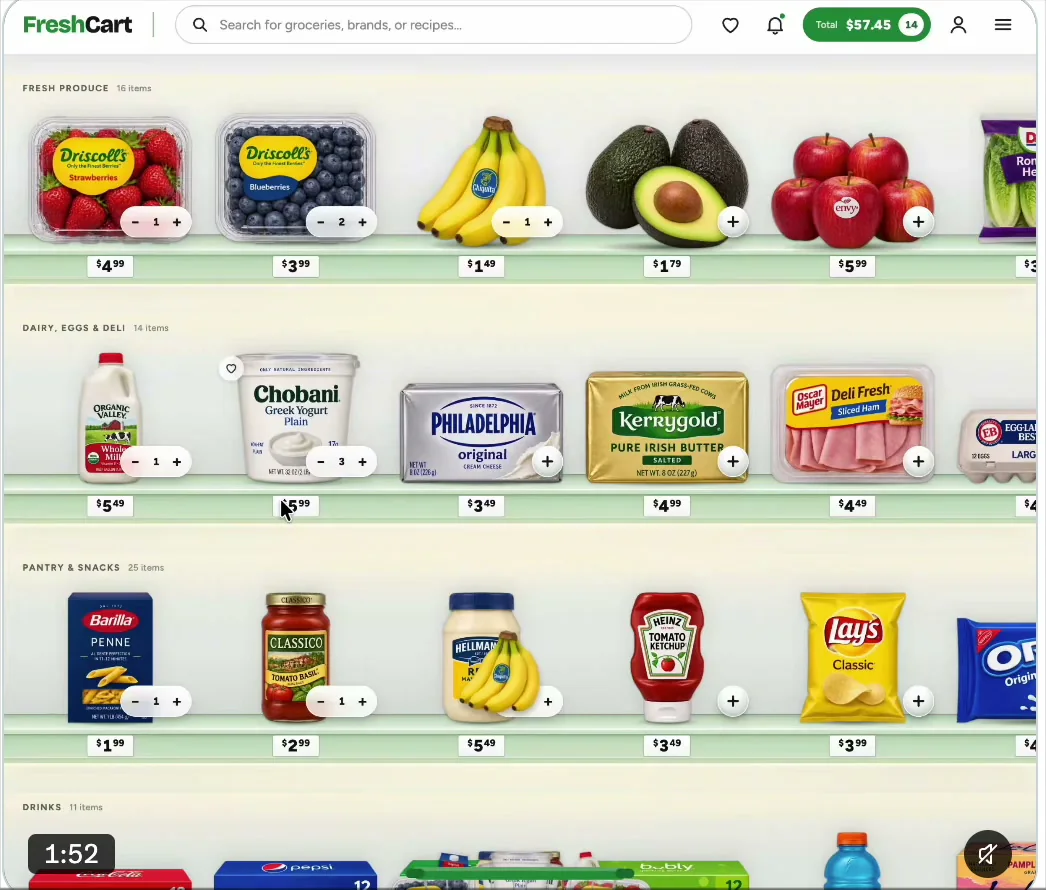
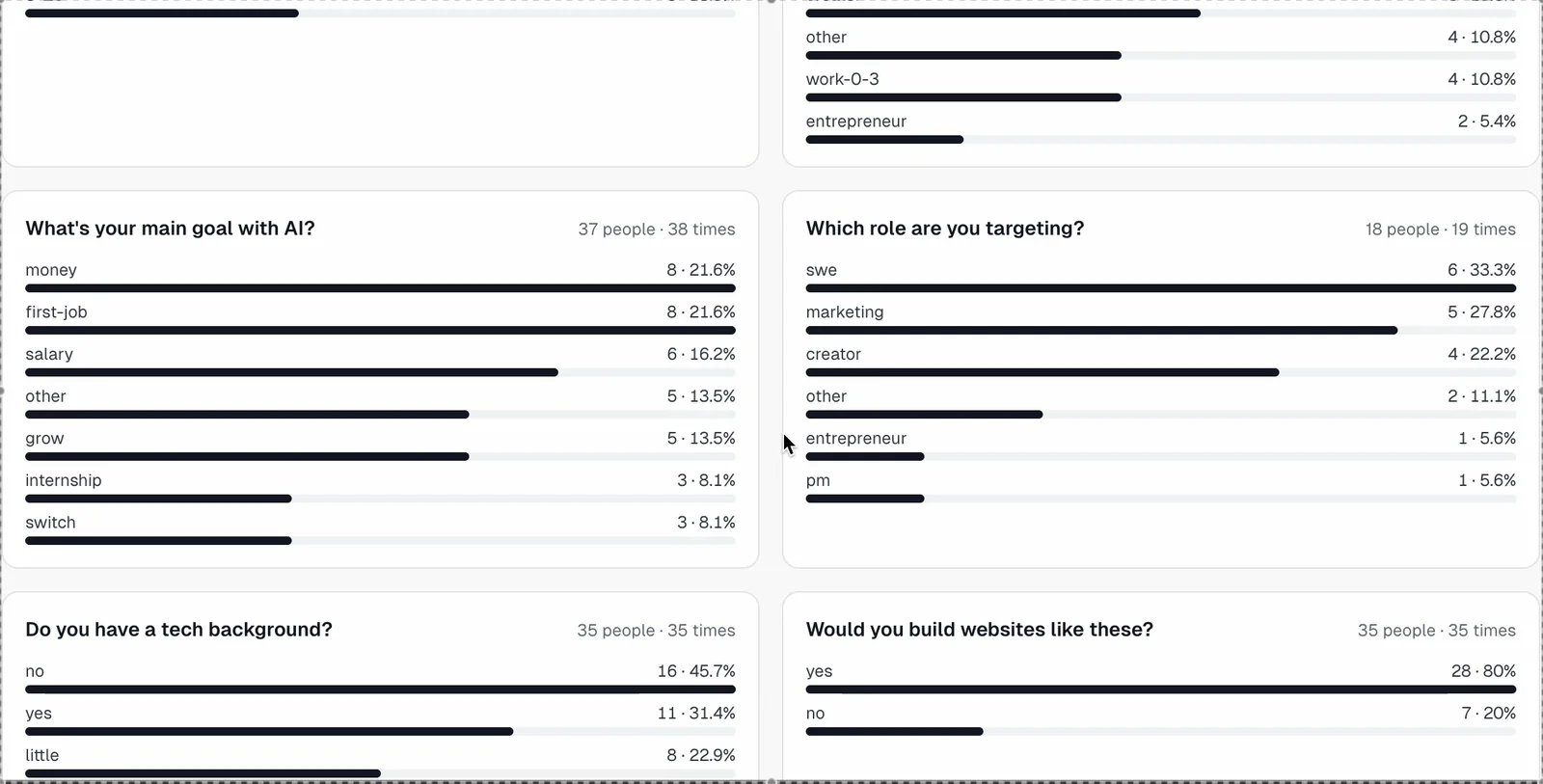
In our example: "Turn my weekly update into a one-page dashboard with a chart of follower growth." Other ideas: a habit tracker, an EMI calculator, a quiz on a chapter you're studying, a wedding page with a map and RSVP list.
Step 9. Make it look great with Claude Design
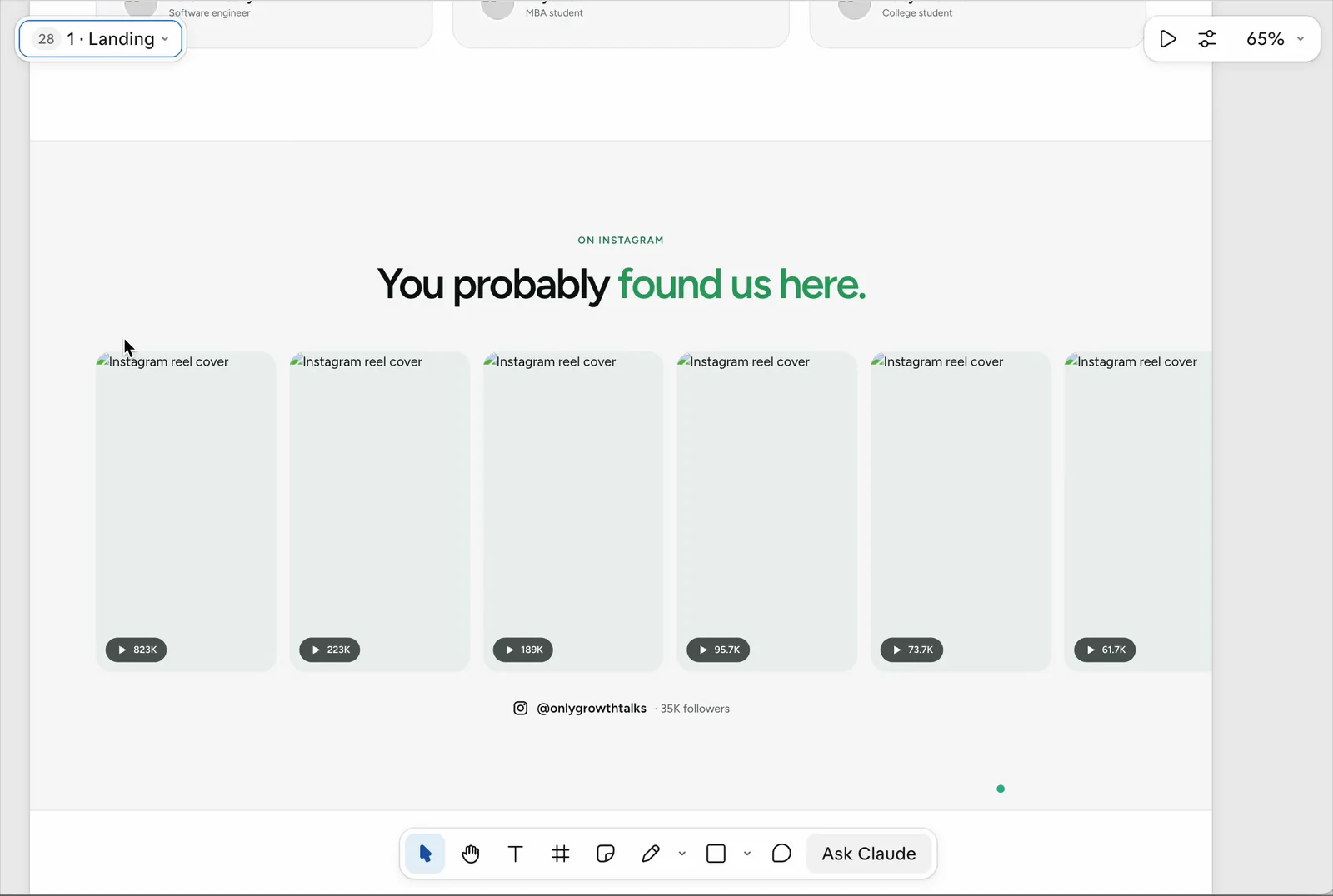
Claude Design is Claude's visual design tool. You describe what you want, and it lays out a real design on a canvas: posts, posters, slides, app screens, website mock-ups. It launched on 17 April 2026 and, as of 11 November 2026, is on every plan including Free. It works inside any chat (or pick Output → Design in the message box), in the Artifacts tab, in Claude Code (/design) and in the mobile apps. The old standalone site at claude.ai/design closes on 14 December 2026.
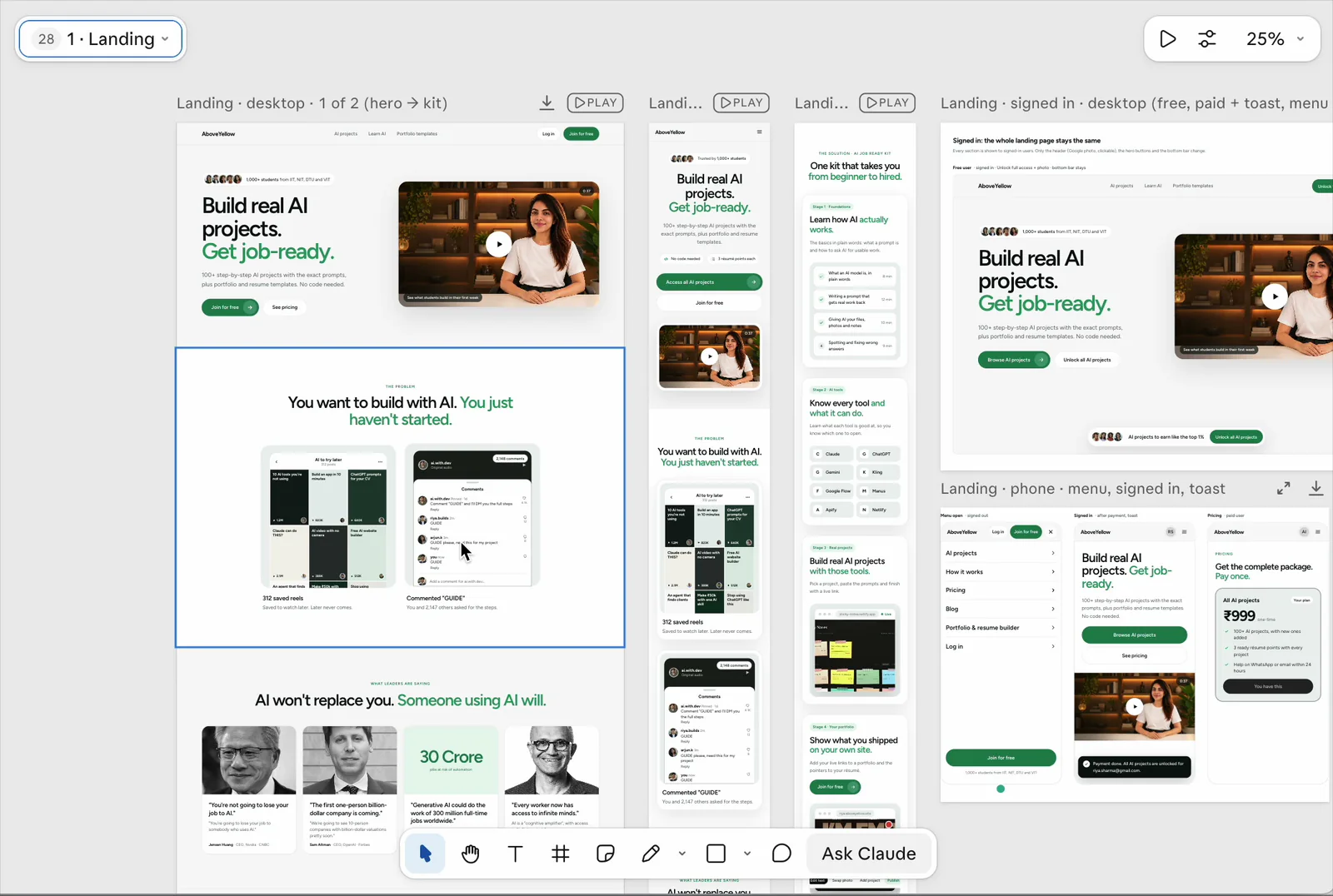
Describe it
What it is, who it's for, the size or platform, the mood.
Give it references
Your logo, brand colours, fonts, or a screenshot of a style you like.
React in plain words
"Bigger headline", "less text on slide 3", "make it feel premium".
Share or download
One link, or download it to post. Save your brand once as a design system and every new design uses it.
Step 10. Teach it once with skills
A skill is a saved set of instructions for one kind of task, called with a slash command. Give a person a fish and they eat for a day; teach them to fish and they eat for life. A skill is teaching Claude to fish.
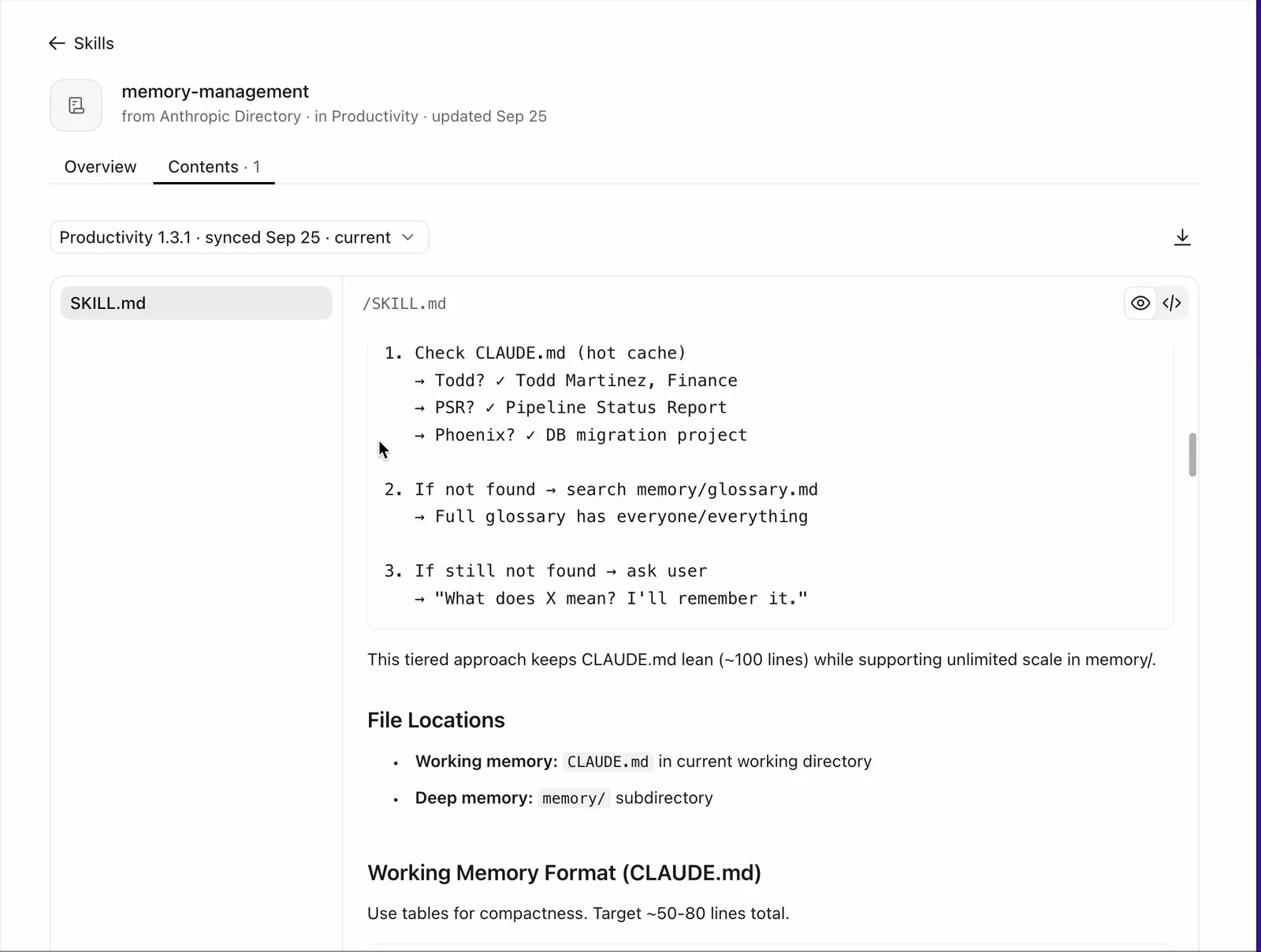
Skills are available on every plan, including Free (code execution must be on). In our example: a /weekly-update skill says: use Wins, Numbers, Blockers and Next week; under 200 words; numbers in a table. Next Friday you type /weekly-update and the format is right every time.
| Way to make one | Best when | How |
|---|---|---|
| Skill creator | You know the task well | Type /skill-creator (Anthropic's skill for building skills): "I want a skill that [task] for [goal]. It is done well when [criteria]." |
| Turn a chat into a skill | A chat already got it right | At the end, ask Claude to use the skill creator: "Turn what we just did into a skill." |
| Record your screen | The task is a series of clicks | + in the message box → Record a skill (up to about 10 minutes). Pro, Max, Ultra and Team, in Claude for Mac only |
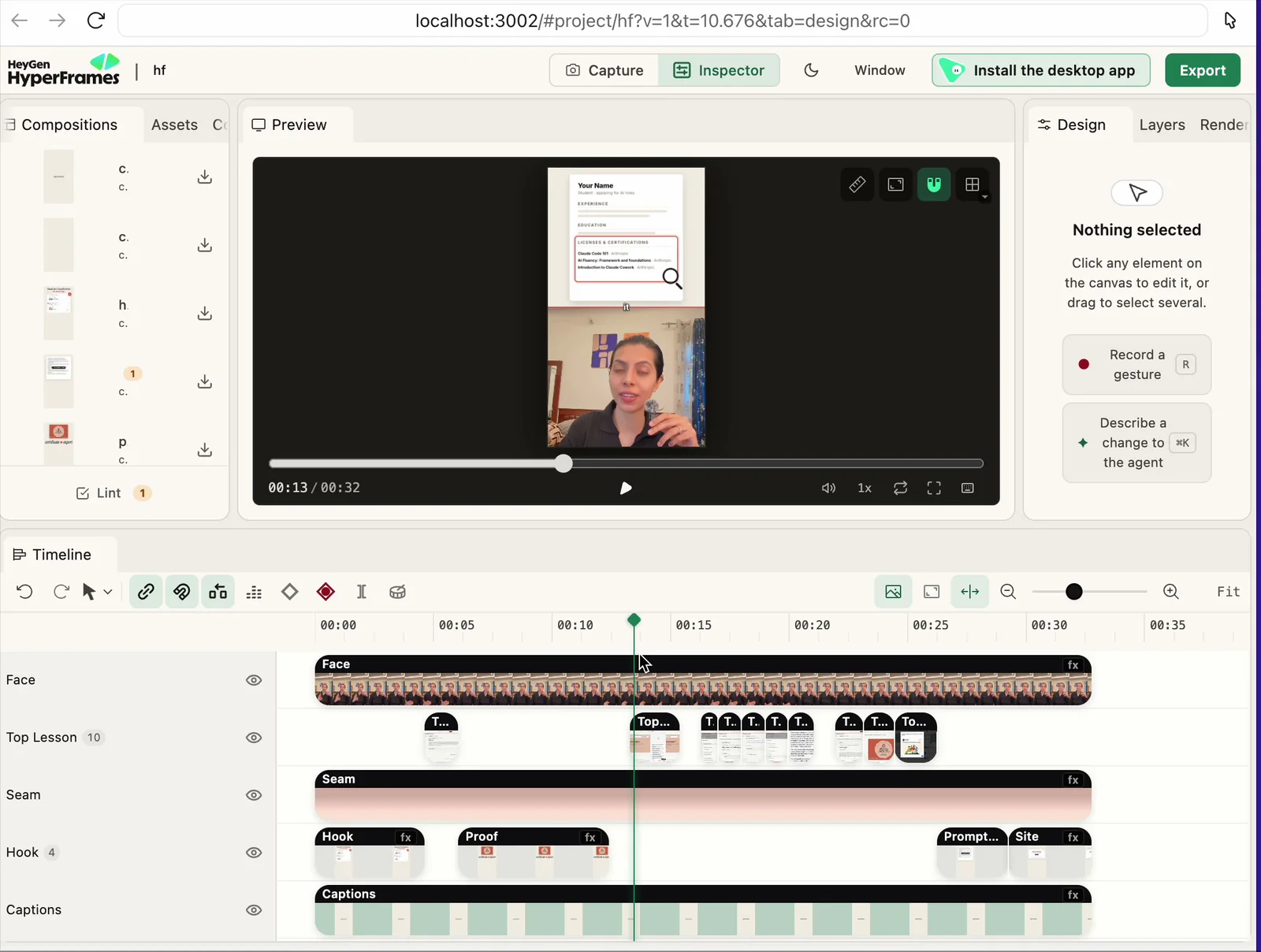
The most powerful example: editing your videos. Claude doesn't edit video on its own, but with the right skills it can. In Claude Code (Pro and up), video skills such as HyperFrames (turns HTML into video) and Remotion (builds video from code) let Claude cut raw footage, add word-by-word captions and animations, check the edit frame by frame, and render the finished MP4.
Step 11. Get a whole toolkit at once with plugins
A plugin is a ready-made bundle for one kind of work: several skills, the connectors they need, and slash commands, packed together. If a skill is one recipe, a plugin is a whole cookbook.
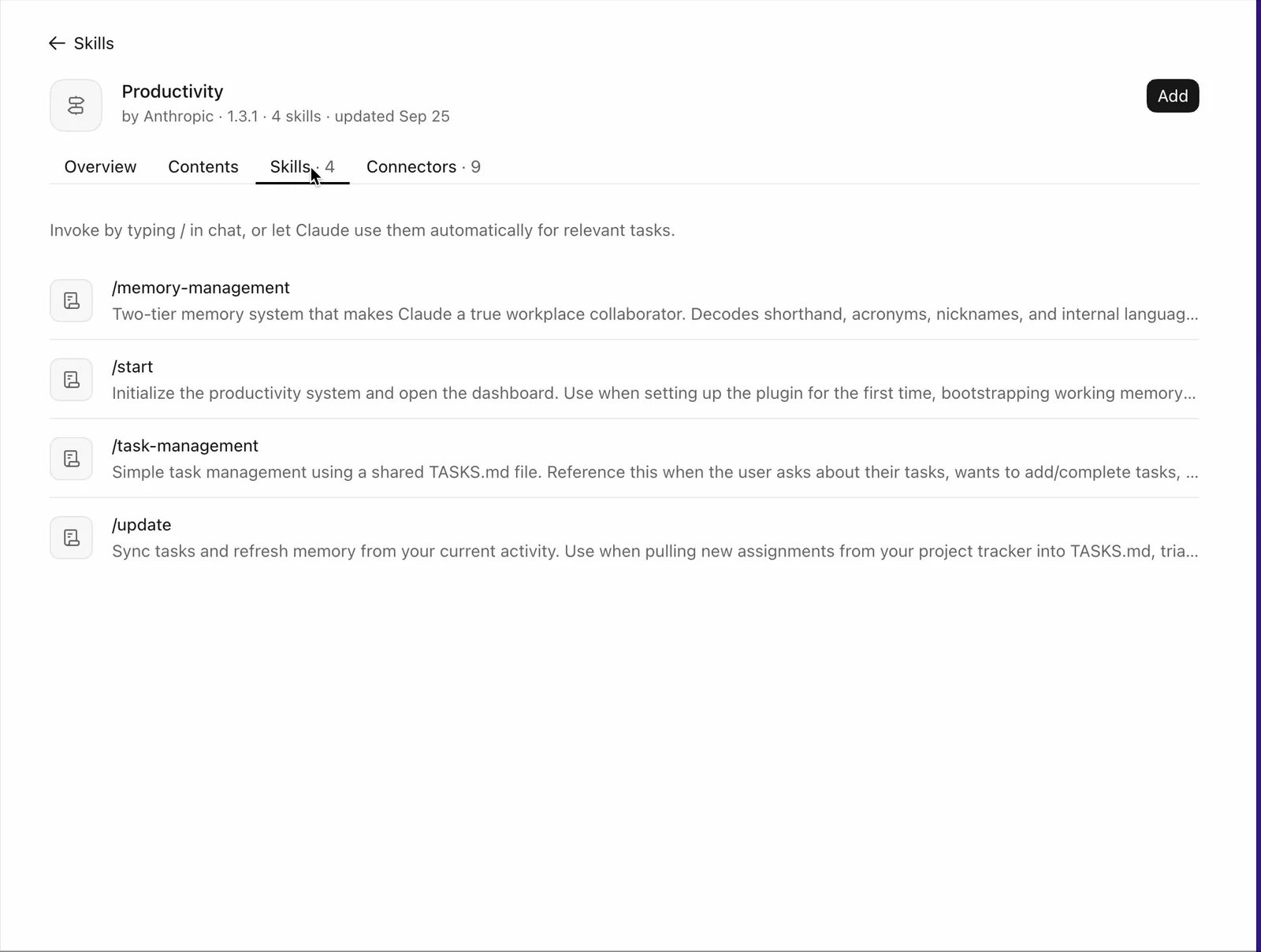
How to install one: click Plugins in the sidebar, browse the directory, pick one for your role, click Install and connect any apps it asks for. Type / in a chat to see its commands. On Team and Enterprise plans, admins can add company plugins so everyone shares the same skills.
Step 12. Let it run on its own
A scheduled task is a job you set once that Claude runs automatically — hourly, daily, on weekdays or weekly. You don't even open Claude; the result is waiting for you. Scheduled tasks are on paid plans (Pro, Max, Ultra, Team and Enterprise), not Free.
In our example: "Run /weekly-update every Friday at 4 pm and save it as a Doc." From now on the draft is ready before you finish work. Other ideas: a weekday 8 am morning brief of meetings and emails needing a reply; the top 5 news stories in your industry every Monday. Describe the job in any chat and click Schedule, or open Scheduled in the sidebar → New task. You can pause, edit or run a task from there.
What Claude can't do (yet)
| Limit | What it means | What to do instead |
|---|---|---|
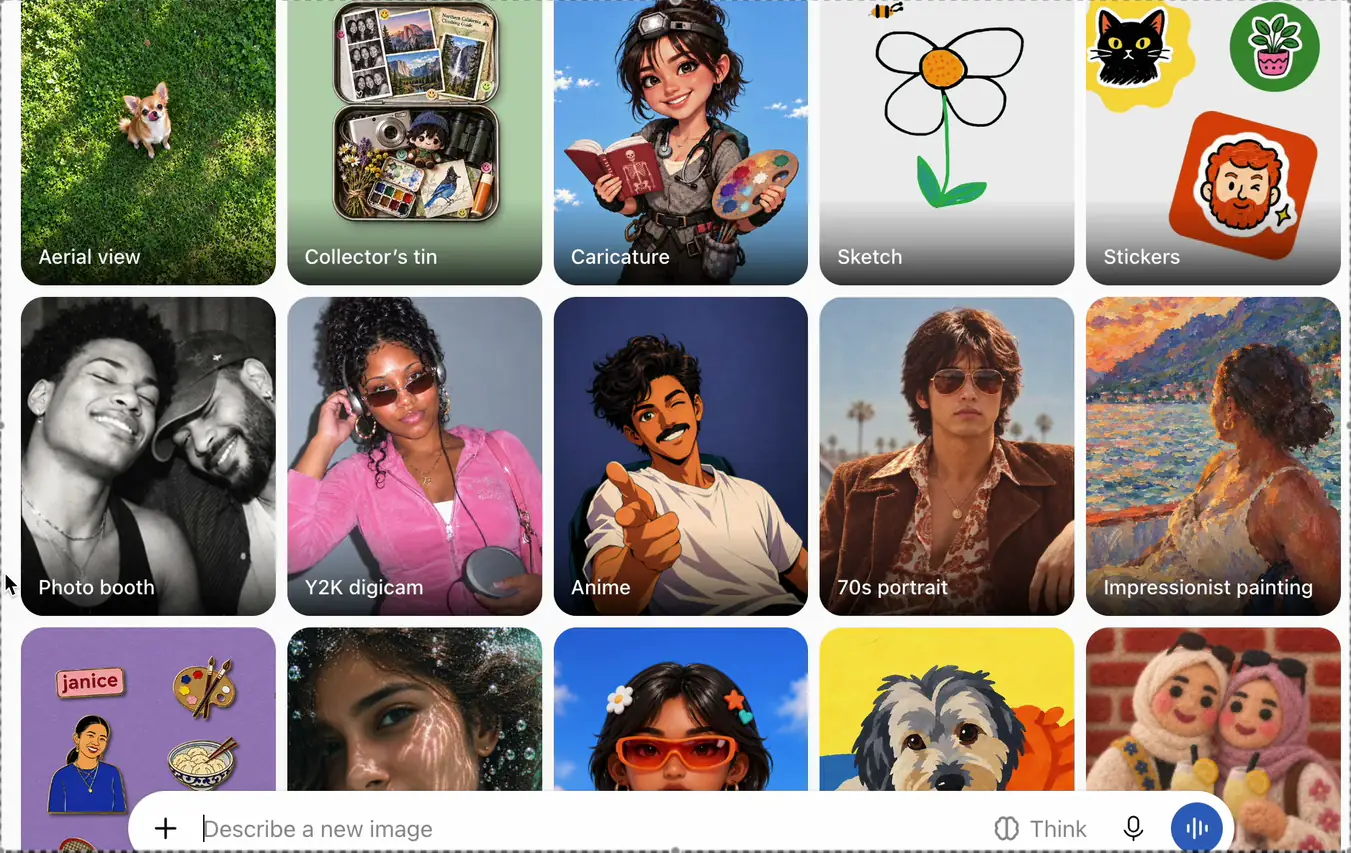
| No built-in photo generator | Claude can create images as charts, diagrams, interactive visuals and SVG graphics, design full layouts in Claude Design, and make pictures through connected image tools. But it has no built-in photo or illustration model, so for photo-style images ChatGPT is much better. | Make photo-style images in ChatGPT or another image tool, then use Claude Design for the layout. |
| It can be wrong | It can sound sure and still make things up. | Ask for sources with links and open them. |
| Usage limits | Long chats and big files use up your allowance faster. | New topic, new chat; upgrade only if you keep hitting the limit. |
| Video needs setup | Claude edits video only through Claude Code (paid plans) and video skills. | Install a video skill once, then reuse it. |
Your first week with Claude
Day 1
Install the apps and plan a trip: "Goal: a 4-day Jaipur trip for 2 in December, budget ₹40,000, with hotel links and a packing list. Ask me questions first."
Day 2
Run /setup and connect one app.
Day 3
Make a project and upload a rental agreement: "Explain this simply and flag anything risky, with clause numbers."
Day 4
"Make a page where I enter monthly income and expenses and see a pie chart."
Day 5
Design a poster or a 3-slide carousel in Claude Design.
Day 6
Install a plugin for your job and turn one weekly task into a skill.
Day 7
Schedule a weekday 8 am morning brief.
FAQ
What is Claude?
Claude is an AI assistant made by Anthropic. It is a large language model (LLM), the same kind of tool as ChatGPT and Gemini, that answers, writes, researches and builds things from plain-language requests.
What is a token in Claude?
A token is a small chunk of text Claude reads and writes; about 100 tokens equal 75 English words. Your messages, files, Claude's replies and the chat history all use tokens, and plan usage limits are measured in them.
Can Claude generate images?
Partly. As of 11 November 2026, Anthropic says Claude does not generate photos or illustrations the way image tools do, but it can build charts, diagrams, interactive visuals and SVG graphics, design layouts in Claude Design, and create images through connected image tools. For photo-realistic images, ChatGPT is the stronger choice.
How much does Claude cost?
Claude has a Free plan. Pro is $20 a month ($17 billed yearly), Max is $100, Ultra is $200, and the Team plan is $25 per seat per month for 2 to 150 people, as of November 2026.
What does the /setup command do?
It runs Anthropic's guided setup skill. Claude asks about your work, suggests a matching plugin, lets you try a skill, and offers to connect your apps, asking before each step. As of 11 November 2026 it is not yet in the Claude Help Center, so check the exact name in your / menu.
Sources (checked 11 November 2026)
- Claude pricing — plans, prices, Team and Enterprise
- Claude download — apps by device
- Claude Cowork and chat are now one Claude — 16 September 2026
- Can Claude produce images? — Claude Help Center
- Get started with Claude Design
- How to create custom skills
- Manage plugins, skills and connectors from one Plugins page
- Schedule recurring tasks
- Claude Fable models on your plan
- Import and export your memory
Claude or ChatGPT?
See the five things Claude does differently, and where ChatGPT still wins.
Read Claude vs ChatGPT →