SetupSet up your computer
Install Claude Code (you need a Pro or Max plan or an Anthropic Console account), Node.js LTS and Python. Check that claude --version, node --version and python3 --version each print a version.
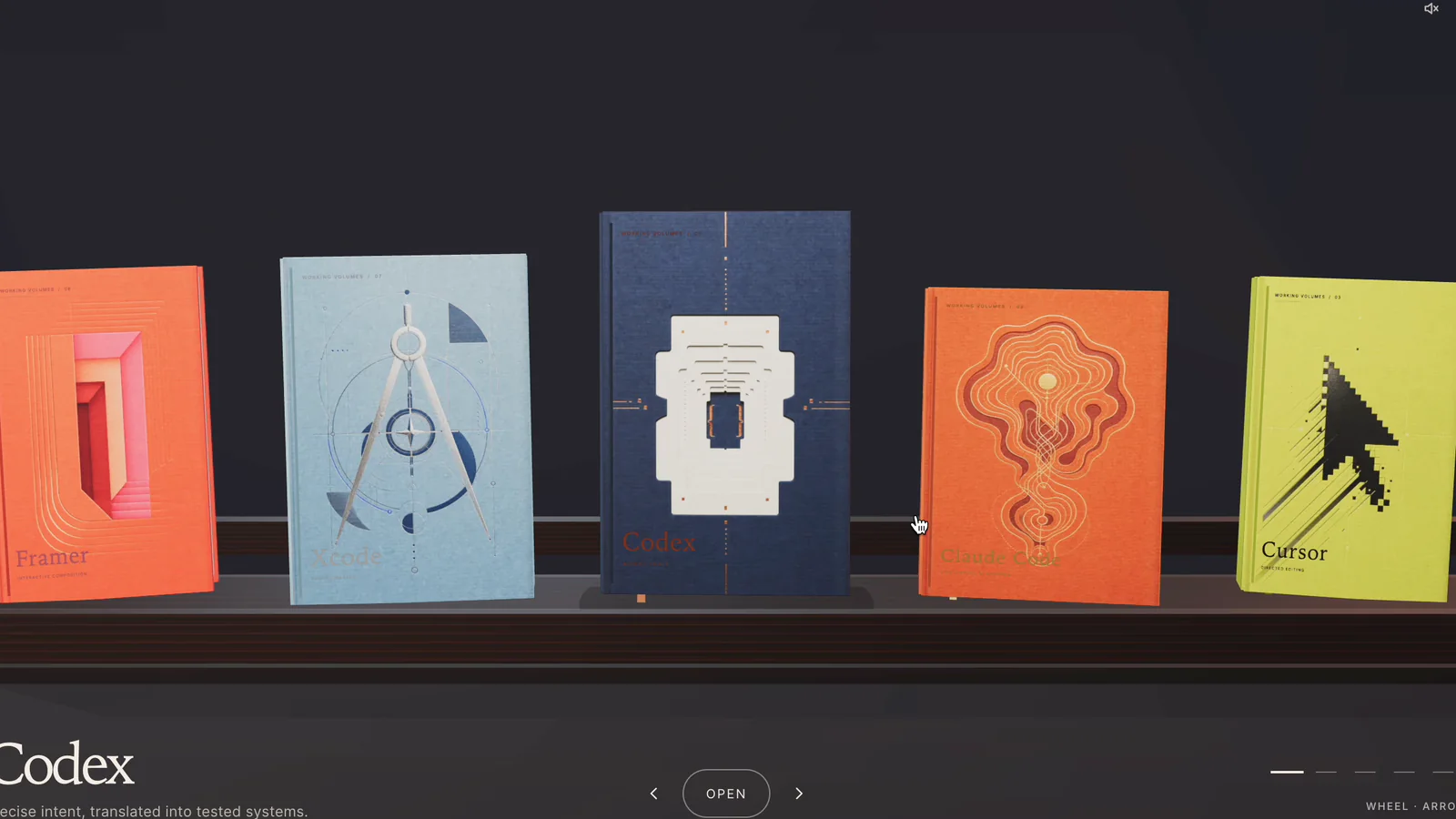
Build a carousel bookshelf website powered by Google Sheets so creators can update links, prompts and resources without changing the website code.
Install Claude Code (you need a Pro or Max plan or an Anthropic Console account), Node.js LTS and Python. Check that claude --version, node --version and python3 --version each print a version.
Make a folder called ai-toolshelf on your Desktop and open it in Claude Code. Ask 'Which folder are you working in?' to confirm.
Paste the master prompt and answer three questions: shelf name, subtitle and a topic for 8 sample books. Claude builds the site and a two-tab shelf-sheet.xlsx.
At sheets.new, import shelf-sheet.xlsx with File → Import → Upload → Replace spreadsheet. Share it as Anyone with the link: Viewer, and paste the link back into Claude Code.
Open http://localhost:4322, then edit a subheading in the sheet. It should update within 15–60 seconds without a refresh. Replace the sample rows with your own books.
Drag the folder into Netlify Drop, or run npx vercel --prod with the build command left empty. Redeploy only when the code changes; sheet edits go live on their own.
Add the domain in Netlify or Vercel, then in GoDaddy DNS set the @ A record and the www CNAME to the values your host shows. DNS can take up to 48 hours.
Build me a 3D bookshelf website whose content comes from a Google Sheet that I own. When I edit the sheet, the live website must update by itself, without redeploying.
Work only inside the current folder. Save every file you create here.

PART 1 — ASK ME ONLY THREE THINGS, THEN START
1. The name of the shelf (e.g. "The AI Toolshelf")
2. A one-line subtitle (e.g. "A shelf of AI tools worth knowing")
3. A topic for 8 sample books (e.g. "popular AI tools")
Do not ask me anything about individual bo
…
Recommended for you