SetupBefore you start
Install Claude Code, Node.js LTS and Python (on Windows, tick 'Add python.exe to PATH'). You also need a Google account and a free Netlify or Vercel account.
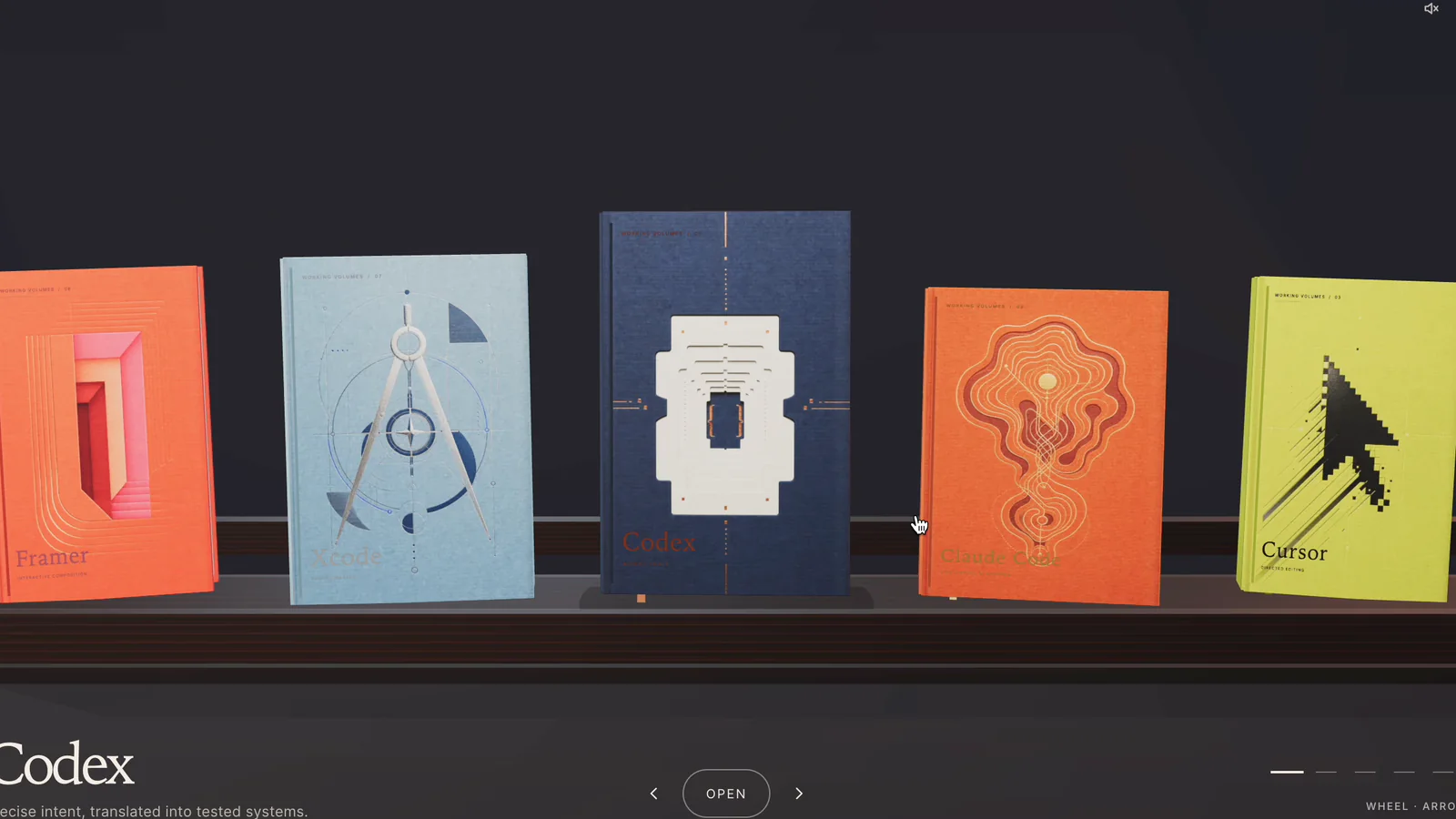
Build a book-spine bookshelf website for creators to organize courses, prompts and links, then customize and sell the template as a digital service.

Install Claude Code, Node.js LTS and Python (on Windows, tick 'Add python.exe to PATH'). You also need a Google account and a free Netlify or Vercel account.
At sheets.new, name the first tab Books and add eight headers: Order, Book name, Subheading, Description, Button text, Button link, Colour code, Category. Fill one row per book, or copy the sample sheet.
Add a Colours tab with Colour code, Colour name, Cover colour and Text colour, and the 12 codes C01–C12. Put a code in each book's Colour code cell.
Share → General access → Anyone with the link, as Viewer, then copy the link. Keep anything private out of the sheet.
Open Claude Code in a bookshelf-template folder, put your sheet link on the first line of the master prompt and paste it. It checks the sheet, asks for a name and subtitle, then builds.
Open http://localhost:4322, then change a subheading or add a row in the sheet. The shelf should update within 15–60 seconds without a refresh.
Drag the folder into Netlify Drop, or run npx vercel --prod. You can connect a GoDaddy domain by pointing its A and CNAME records at your host.
Use your live shelf and a 15-second screen recording as the demo. DM education creators, tutors and coaches, ideally with a preview built from their own course names.
My Google Sheet: PASTE_YOUR_SHEET_LINK_HERE

Build me a bookshelf website whose books stand side by side on one shelf, spine out, and whose content comes entirely from the Google Sheet above. When I edit the sheet, the live website must update by itself, without redeploying. Never hard-code any book content in the code.
Work only inside the current folder and save every file here.

PART 1 — CHECK THE SHEET FIRST
1. Extract the sheet ID from my link. Fetch both tabs as CSV from:
   https://docs.g
…
Recommended for you