Blog/Clothes Transition Video
@onlygrowthtalks·
20 July 2026

Clothes Transition Video

If you're a student or an early-career professional, you need to know that AI is now one of the mandatory skills you can't avoid — whether you want to get a job, become an entrepreneur, or move into any career in the future. AI is already…

If you're a student or an early-career professional, you need to know that AI is now one of the mandatory skills you can't avoid — whether you want to get a job, become an entrepreneur, or move into any career in the future. AI is already starting to take over certain tasks. But remember: AI won't take your job — someone using AI will. So start using AI across every part of your life, in your day-to-day work, and in building your business.

About myself: Hi, I'm Ritu Dadhwal. I'm a graduate of NIT Hamirpur, and I currently work as a Product Manager. I help you become a skilled professional by teaching you AI in every 30-second reel — building 100 AI projects for you to learn from.

Follow my channel if you find it interesting. And you can always reach out to me for any of your queries via DM.

Hi, in this video we'll be creating a short video where we upload one of our photos in different outfits. We'll make a transition video where that person changes through five different looks.

For me, I'm creating my day-to-night routine:

1
I wake up in my nightwear.
2
I go to the gym.
3
I take a bath and change into my bathrobe.
4
I go to the office wearing my office dress.
5
I go out for dinner.
6
I come back home and get back into my nightwear.

Step 1:

1
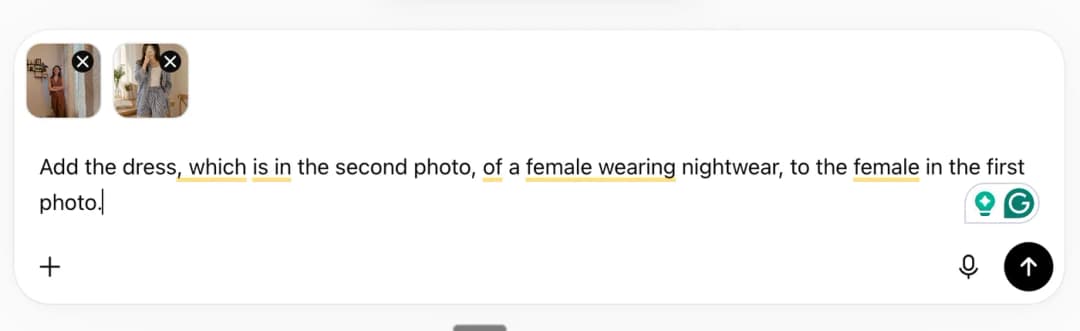
Go to ChatGPT, upload one of your photos, and use the prompt below. With this prompt, you'll upload two photos: your normal photo and the nightwear photo. ChatGPT will use these to generate a new photo combining your original photo with the nightwear look.
2
In the second step, upload two photos:
  1. The first one — you wearing the nightwear, generated by ChatGPT.
  2. The second one — the gymwear outfit you want to create a new photo with.
3
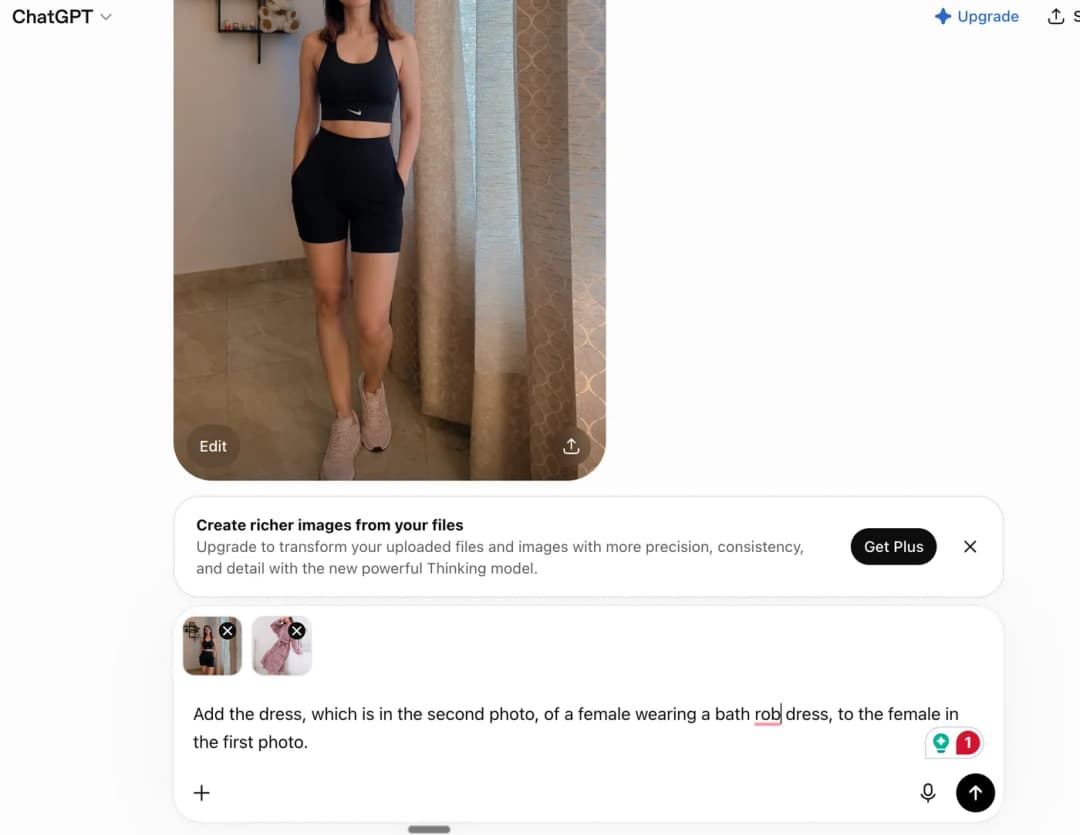
Repeat the same process: go back to ChatGPT, upload your gymwear photo along with the bathrobe photo you want to wear, and use the prompt below.
4
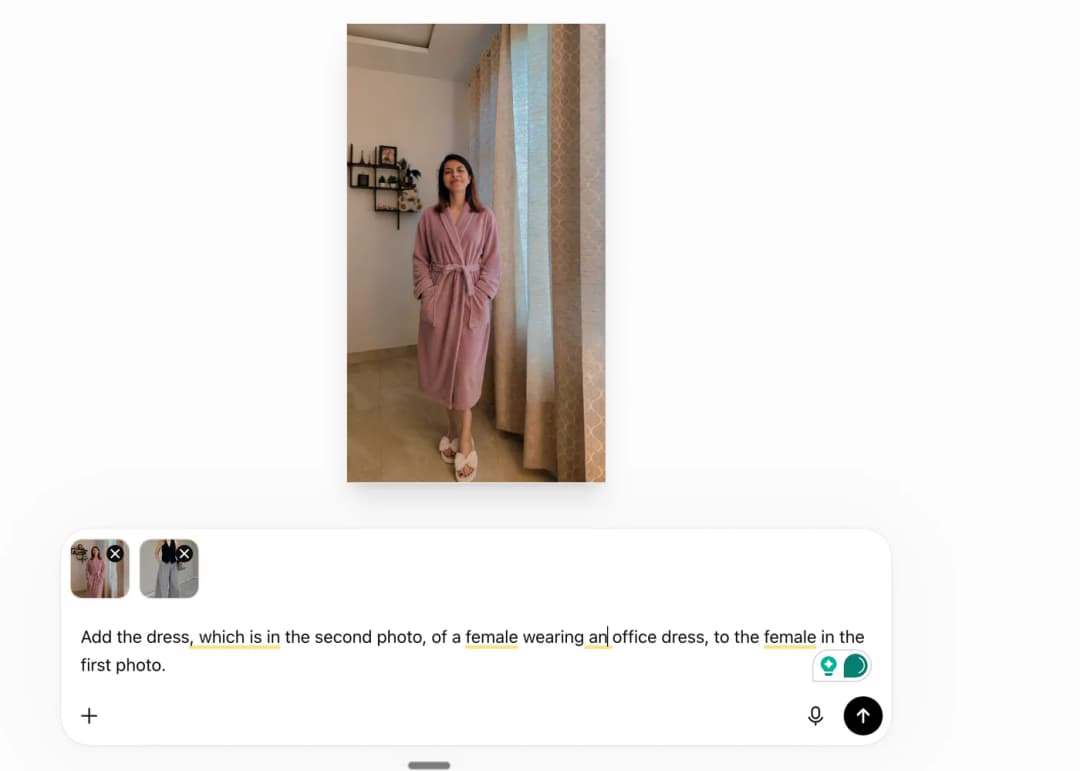
Go to ChatGPT again, upload the office wear look you want to wear along with the bathrobe photo. It will generate your photo in office wear.
5
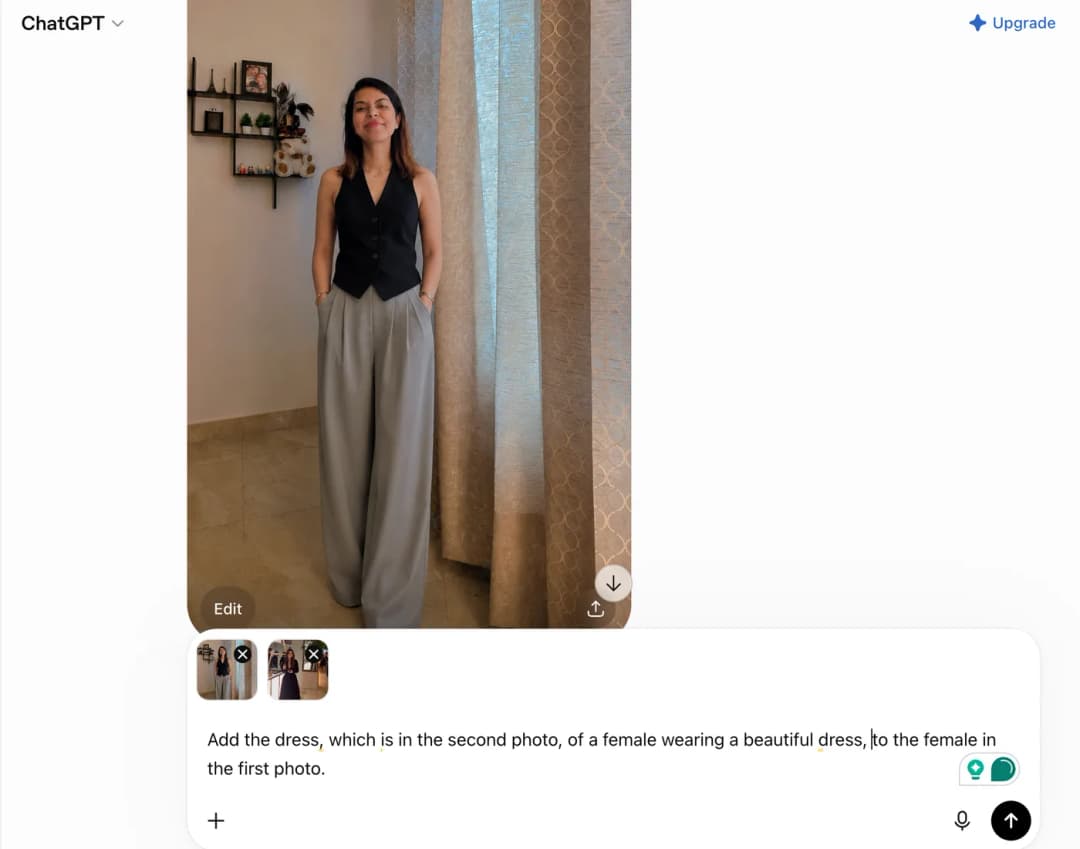
Go to ChatGPT once more, repeating the same process. This time, upload your office wear photo and the dress you want to wear to generate a new image.
6
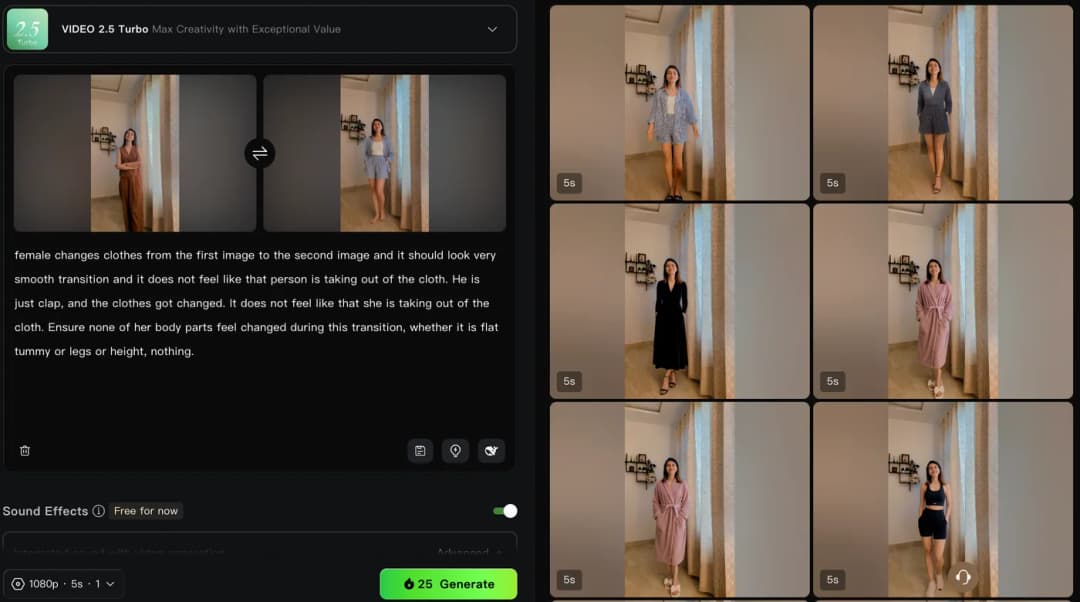
Go to Kling and upload your first photo (your normal photo) as the start frame, with the nightwear photo as the end frame. Create a 3-second video using the prompt below.

Prompt :

female changes clothes from the first image to the second image, and it should look like a very smooth transition, and it does not feel like that person is taking off the clothes. He is just clapping, and the clothes change. It does not feel like she is taking off the cloth. Ensure none of her body parts feels changed during this transition, whether it is a flat tummy, legs or height; nothing.
7
Repeat the process, this time using your nightwear photo as the start frame and your gymwear photo as the end frame.
8
Repeat again to create another 3-second video — this time with your gymwear photo as the start frame and your bathrobe photo as the end frame.
9
Create another 3-second video, using the bathrobe photo as the start frame and your office wear photo as the end frame.
10
Repeat once more, with your office wear photo as the start frame and your party dress photo as the end frame.
11
Create one final 3-second video, with your party dress photo as the start frame and your nightwear photo as the end frame.
12
Download all the clips, merge them in your editing app, and you're done.